
Guide · sources checked 2026-09-30
dots
Give your dot an ongoing responsibility inside ChatGPT, with updates and scheduled work.
Official website · Explore agents

dots at a glance
OpenAI identity mark; not a distinct dots logo · official source · checked September 30, 2026
Illustrated explanations by PersonalAgents, based on the linked documentation.
Cloud first, local access optional
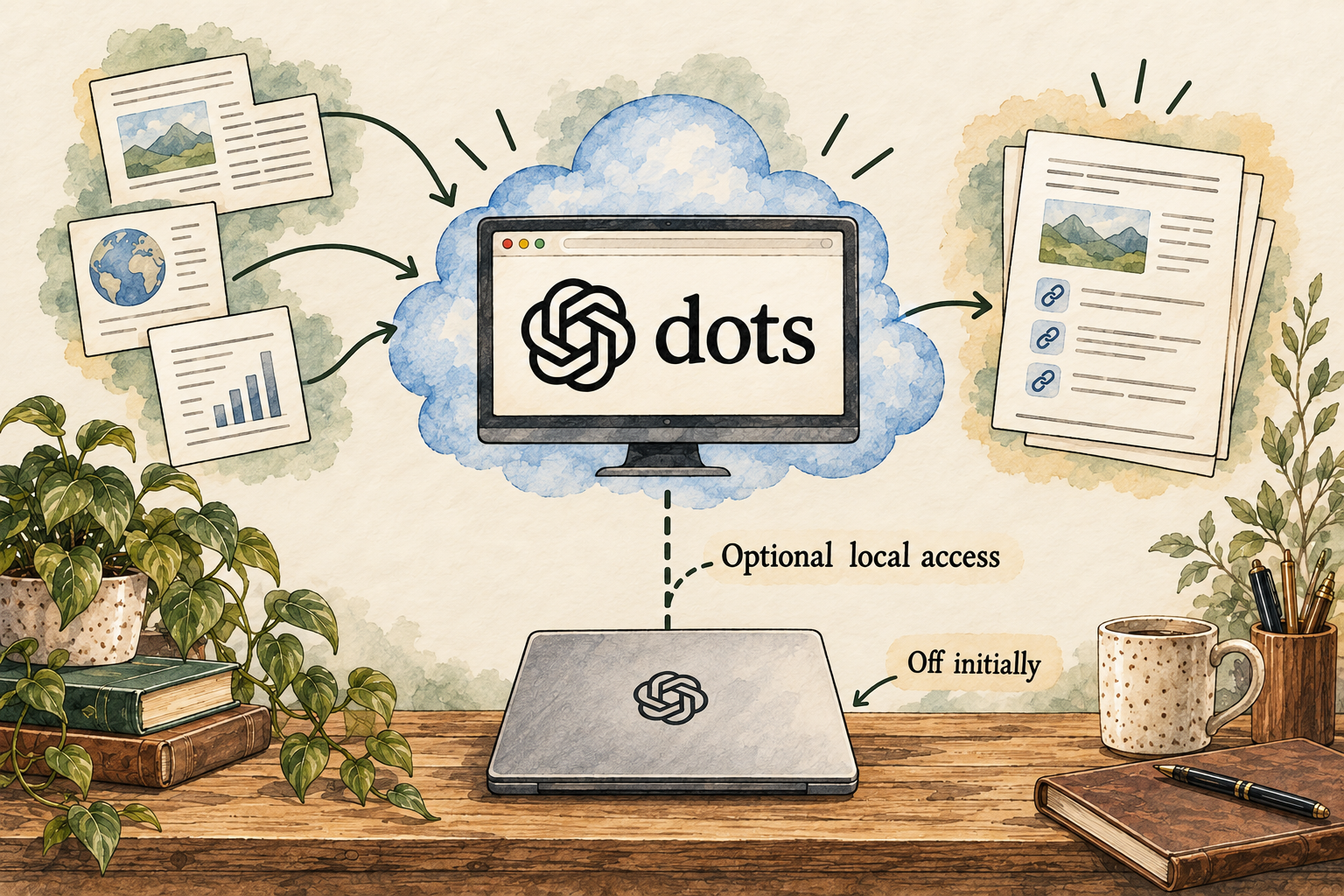
Image description
- Create your dot on desktop and describe one responsibility.
- Your dot has its own cloud computer.
- Access to your computer is optional and starts turned off.
Your control point: Local-computer access is optional and starts off. Use Pause to stop ongoing work; Reset also deletes dot context.
Identity marks and vendor images belong to their respective owners. Images load from the linked official publishers and may change or become unavailable.
A practical guide to dots
Dots introduces ongoing responsibility inside the ChatGPT ecosystem. Its practical appeal is continuity: the agent can carry work between conversations, use existing connections and bring results back. The main evaluation questions are how much access you intend to grant, how you will supervise background work and whether its coarse memory-deletion model suits your information. Launch documentation is changing, so plan terms need an account check.
Last checked 2026-09-30. Links to the original documentation appear throughout this guide.
What makes a dot different from a normal chat
The system card describes persistent cloud-computer work, recurring tasks, delegation and a time budget. It also calls the open-ended-work evaluations preliminary.
GPT-6 Astra system card: dots evaluations
Do not translate a model safety score into a reliability score for your workflow. A long-running task may combine several decisions and outside tools. Ask for a clear goal, progress checkpoints and a reviewable result. For example, a reading list should include original URLs and what was actually learned from each source.
Personal access and workplace access differ
Enterprise administrators can control dot access, local-computer capabilities, messaging and custom rules. Dot access and local access start off by default.
Manage dots in Enterprise workspaces
A workplace trial needs the workspace owner’s configuration as well as your request. Do not copy personal-plan instructions into a company rollout and assume the same options appear. Confirm which tools are enabled, which network environment applies and who is responsible for reviewing the connected information.
The subscription is not the whole cost model
Current Pro documentation lists monthly tiers at US$100, US$200 and US$500 with different allowances.
Pick a tier only after confirming that dots is available and the included work allowance suits the intended task. A more expensive subscription is not proof of better decisions. Record the account’s terms and usage during a small trial; do not assume older Pro pricing or unlimited allowances apply to a new subscription.
Give your dot one responsibility you can evaluate
A sensible first responsibility is a weekly reading brief on a public topic you already understand. For example, ask for developments in local public transport, using named agency announcements rather than social media speculation. Request a dated summary, direct source links and a separate list of unclear details. Do one run first. A recurring schedule should follow a useful sample, rather than hide a weak first result behind automation.
Write the responsibility in terms of a decision it supports. “Tell me whether my regular route changes next week” is more useful than “keep me informed about transport.” Specify the route, relevant dates and what counts as a change. Ask the dot to distinguish a proposed change from an approved timetable. Those distinctions make a brief actionable and reduce the chance that an old announcement becomes a current instruction.
Open the cited agency page for the most consequential statement. Check the date, direction of travel and whether weekends differ from weekdays. If the dot omits a detail, give a correction and ask for the revised brief. Do not treat a confident summary as a substitute for the original service notice. This proposed exercise uses public information and gives you a concrete standard before you consider connecting private apps.
Read activity as evidence of work, not proof of success
A task marked complete tells you that the agent reached a stopping point. Your question is whether the result meets your request. Ask where the deliverable is, which sources were used, what remains unfinished and whether anything outside the conversation changed. For a weekly brief, an actual linked document is easier to inspect than a message that says the research was handled.
For recurring work, add an exception rule to your brief: if the source is unavailable, report the missing source instead of quietly substituting a weaker one. If two sources disagree, show the disagreement. If there is no meaningful change, say that once rather than manufacture an update. These are suggested instructions; the documentation warns that rules can be followed incorrectly, so review the first few outputs closely.
When an output is wrong, pause ongoing work before expanding the investigation. Save the draft and note the exact mismatch so you can distinguish a bad source, misunderstood request and mistaken action. A corrected next answer does not establish that every prior output or schedule has changed. Look at the schedule and the affected app separately before resuming.
Continuity creates a cleanup decision
Picture a harmless preference: you ask for short summaries with dates at the top. Continuity is useful if later briefs follow it without repeating the instruction. But a remembered preference is not the same as a reliable current fact. A dot should reopen a changing timetable, price or policy rather than treat a past conversation as the final source.
Before connecting an app, ask what information it adds to the responsibility. A calendar might matter for a meeting brief; it contributes little to a public transport research trial. Existing connections also deserve review because access can predate the dot itself. The point is to understand the information available to the agent, not just the connections created during onboarding.
If you later stop using the dot, make a storage checklist first. Consider the dot’s context, ChatGPT memories, chats, saved files and connected-service outputs separately. Resetting an agent can remove useful schedules without cleaning every other location. A person who needs to inspect and delete one specific dot memory should weigh the documented lack of that granular control before relying on it for sensitive continuity.
Answers to all 12 questions
Each answer explains what the official sources say and what that means in practice. “Evidence gap” means a detail we could not confirm; it does not automatically mean a feature is missing.
- Can I use it on my device and plan?
- What can it help me do?
- When does it ask my permission?
- How do I stop it or recover from a mistake?
- What does it remember?
- Can I change or delete its memory?
- Which apps can I connect?
- Where does my information go?
- Where does the agent run?
- What privacy controls do I have?
- What will it cost?
- How do I get started and find help?
1. Can I use it on my device and plan?
Dots is rolling out to Pro outside the EEA, Switzerland and UK, Business Premium in supported regions, and administrator-enabled Enterprise beta users.
Check the account rather than subscribing solely on a launch description. Gradual rollout can mean the feature is absent even when the plan is eligible. Mobile interaction and desktop creation are also separate capabilities; access in one interface should not be used to infer identical setup options everywhere.
2. What can it help me do?
The system card describes recurring work, connected tools, cloud browser/computer use and delegation to other agents.
GPT-6 Astra system card: dots evaluations
Give the responsibility a measurable output: a report with a source list, a reconciled set of files or a draft decision. Avoid accepting “handled” as evidence. Ask what changed and where the resulting file lives, then review it before relying on a delegated or background task.
3. When does it ask my permission?
Set rules and know how to pause
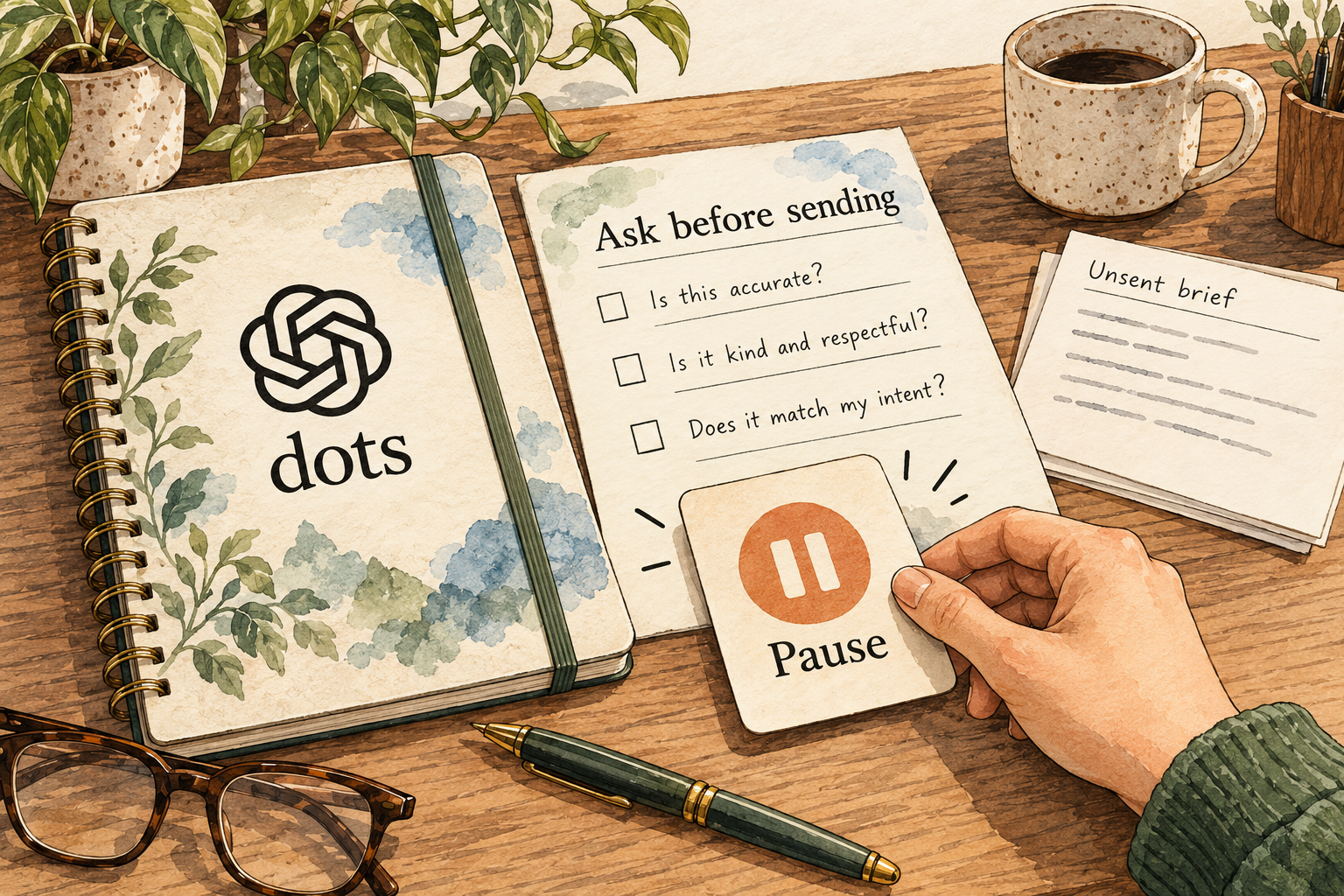
Image description
- Choose which apps to connect and review their permissions.
- Use rules to define what needs a decision from you.
- Pause stops ongoing work; rules can still be followed incorrectly.
Custom Rules offer ask, pre-approve, act-without-asking and handoff behaviors. Core safety checks still apply, and the dot can make mistakes following rules.
Write approval in terms of recipient, scope and effect. An instruction to draft a message is easier to review than permission to handle communications broadly. When evaluating the rule, use a harmless draft and inspect the proposed action; do not test by granting real spending or account-changing powers.
4. How do I stop it or recover from a mistake?
Pause suspends the dot. Reset deletes its conversations, saved memories and scheduled tasks; activity views expose current and completed work.
Use pause when you need a temporary stop, then inspect what already happened. Reset is a larger destructive step and should not be your first response to a bad answer. Save useful outputs first and separately review any outside service the dot changed, because stopping future work does not undo the past.
5. What does it remember?
Disconnecting is not forgetting
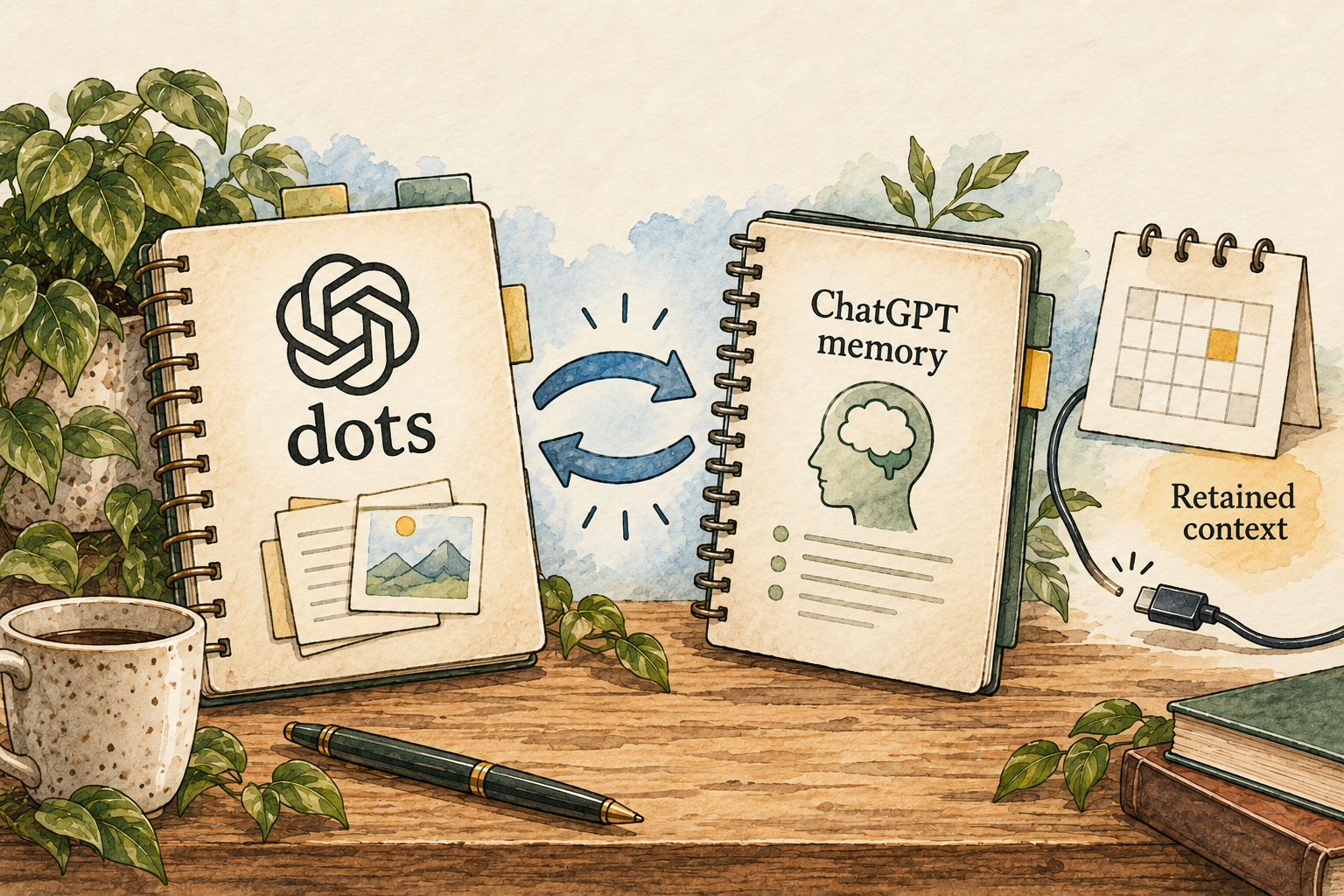
Image description
- A dot can use ChatGPT memories and recent context.
- Disconnecting an app does not erase information already obtained.
- Review memory and reset consequences before deleting anything.
A dot can receive ChatGPT memories and recent context, and its conversations can contribute to ChatGPT Memory.
Dots privacy, security and safety FAQs
There are two related stores to think about. If you correct a detail in one place, confirm how it affects the other before assuming the entire assistant history changed. A trial with a harmless preference can show whether continuity is useful without testing on sensitive information.
6. Can I change or delete its memory?
Individual dot memories cannot currently be viewed, edited or deleted. Deleting the dot clears its own context; separate files, chats and ChatGPT memories remain separate.
Dots privacy, security and safety FAQs
This is a meaningful fit question for someone who expects to remove one remembered detail while keeping the agent. If that granular control is essential, the current evidence does not establish it. Plan an exit checklist for the dot, ChatGPT Memory and every storage location used for outputs.
7. Which apps can I connect?
Plugin permissions are shared across dots, ChatGPT, Work and Codex. Proactive research can read permitted sources and keep private notes but cannot directly perform the listed write/browser actions.
Dots privacy, security and safety FAQs
Review connections you established before creating the dot, not just new ones. A pre-existing plugin may already grant access you did not intend for ongoing research. Treat read access as substantive: a source can reveal information and contribute context even when no outside write occurs.
8. Where does my information go?
The default agent has a cloud computer. Connecting your own computer is optional and does not establish a local-only dot.
If the goal is to keep all source information on your laptop, do not infer that from the local-access toggle. That toggle governs a capability, not the whole service’s data path. Use a separate non-sensitive folder for an initial file trial and verify which tasks run locally.
9. Where does the agent run?
Enterprise local access needs both administrator permission and member connection, with the computer online and the ChatGPT app open.
Manage dots in Enterprise workspaces
Distinguish the cloud job that can continue from a local step that needs an available device. If a recurring task depends on laptop files, include an explicit unavailable-device outcome. Do not assume the agent can finish the local portion when the app is closed or the computer is offline.
10. What privacy controls do I have?
Personal-plan training follows model-improvement settings; business plans do not train by default. Disconnecting an app stops new access but does not erase retained context.
Dots privacy, security and safety FAQs
Review training preferences and access before onboarding. Revocation and deletion solve different problems; after disconnecting, decide what stored context must also be removed. Provider human review, retention and separately stored outputs should be checked against the applicable service terms rather than a simplified “private” label.
11. What will it cost?
Pro 100 is US$100 per month. The launch guide says the first dot is included in eligible Pro or Business Premium plans with a deeper-work allowance.
Current ChatGPT Pro tiers · Getting started with your dot
The recorded figure identifies one Pro entry plan; Business Premium is a different plan and has not been priced here. Check your own dot allowance and launch conditions before buying. A claim that the first dot has no extra subscription charge is not a claim of unlimited work.
12. How do I get started and find help?
Create on desktop web or in the desktop app; creation on mobile and mobile-web support are unavailable at launch.
Create a named dot with one responsibility and find its profile, activity, schedules and pause controls. Keep local access off until a task specifically needs it. No setup-duration estimate or support turnaround was measured; the report describes documented controls, not a completed installation.
Things to check
- Launch rollout and allowances can change; eligibility must be checked in the actual account.
- Granular dot-memory editing/deletion is explicitly unavailable in current documentation.
- No workflow benchmark, provider delivery test or independent security audit was performed.
Try it yourself
These are suggested tasks to try, not tests we’ve run. Compare each result with the original information before relying on it.
- compare a sourced report with its original pages.
- pause a harmless task and inspect its last completed step.
- inventory existing plugin grants before enabling one recurring responsibility.
- rehearse the exit checklist on disposable inputs, without deleting valuable material.
Sources reviewed
- Getting started with your dot · checked 2026-09-30
- Dots privacy, security and safety FAQs · checked 2026-09-30
- Manage dots in Enterprise workspaces · checked 2026-09-30
- Current ChatGPT Pro tiers · checked 2026-09-30
- GPT-6 Astra system card: dots evaluations · checked 2026-09-30
Research describes documentation available on the check date. Features, prices and access can change. No test result or personal endorsement is implied.