
Guide · sources checked 2026-09-30
Hermes Agent
Run an agent you manage yourself, choosing the model, tools and place it runs.
Official website · Explore agents

Hermes Agent at a glance
Hermes Agent identity mark · official source · checked September 30, 2026
Illustrated explanations by PersonalAgents, based on the linked documentation.
You choose and manage the host
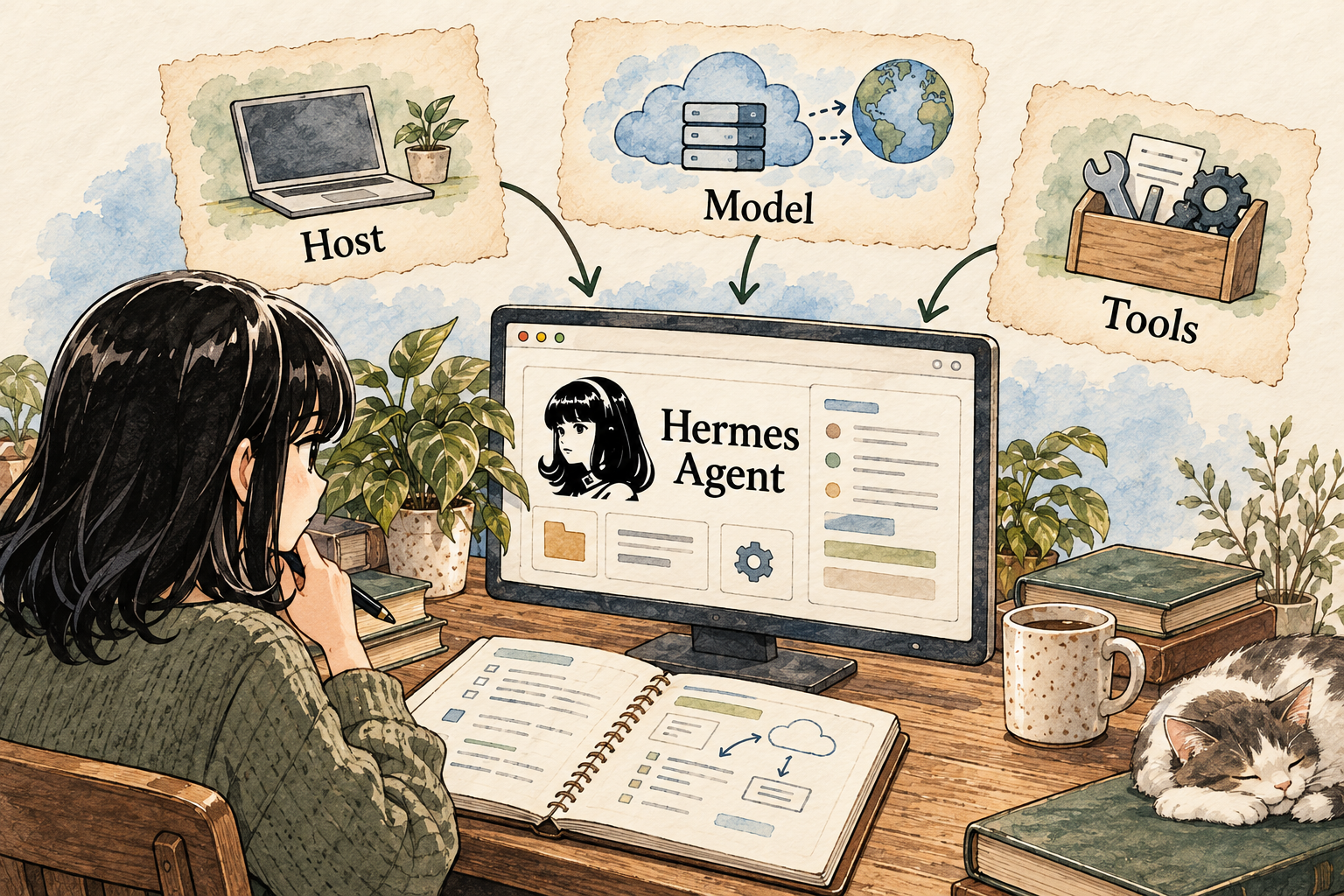
Image description
- Choose a computer or server you manage.
- Configure the model provider and the tools it may use.
- Inspect the output and maintain the setup yourself.
Your control point: You operate the host and its permissions. A terminal sandbox alone does not contain every tool or process.
Inside the product
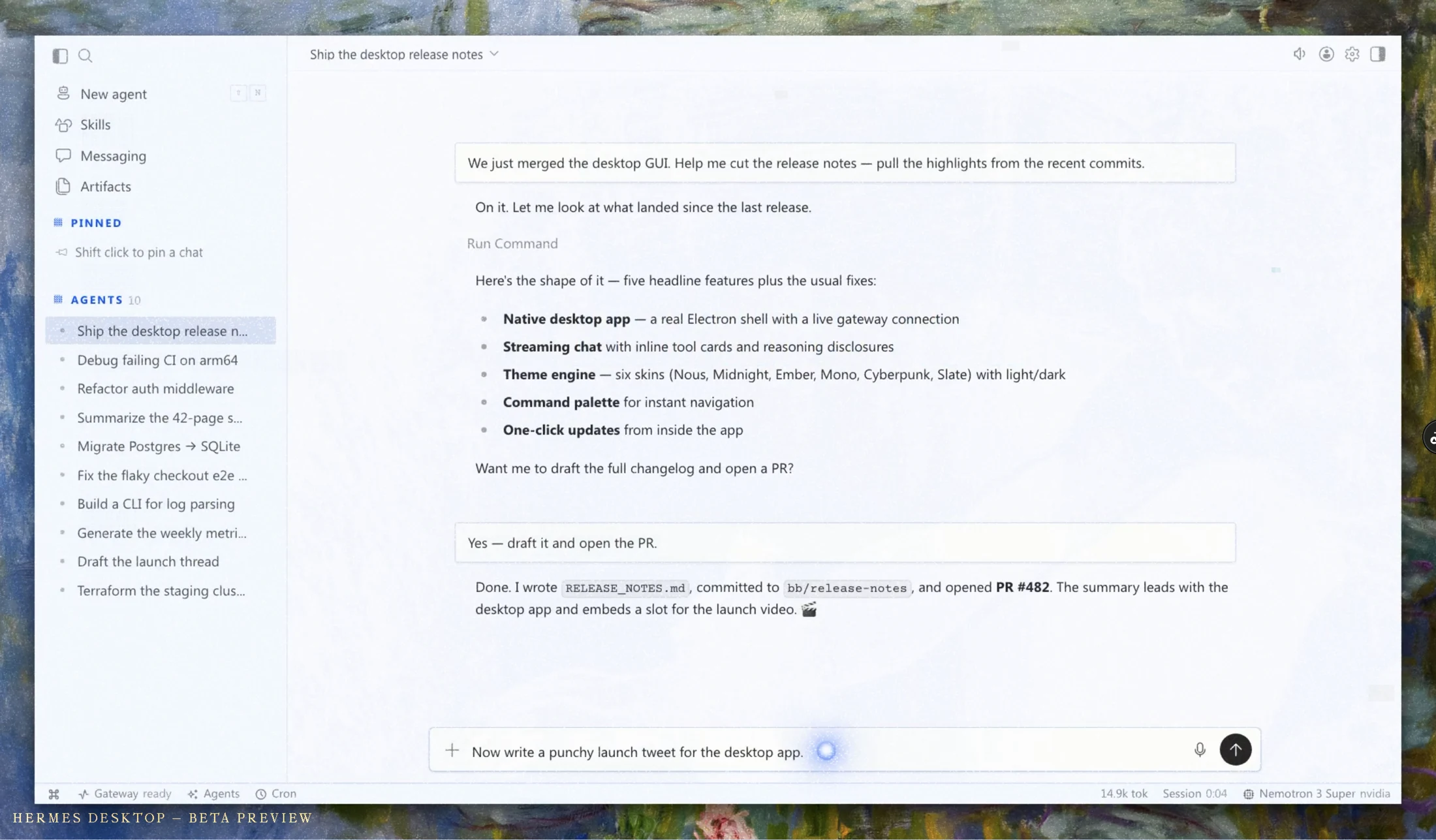
Official image source · checked September 30, 2026. Vendor image; no hands-on testing implied.
Identity marks and vendor images belong to their respective owners. Images load from the linked official publishers and may change or become unavailable.
A practical guide to Hermes Agent
Hermes offers the most direct control over installation and model choice in this shortlist, but that shifts operational responsibility to the owner. Its memory files and configurable providers make it worth evaluating when those controls matter. The first decision is where the complete agent will run and what it may access. A desktop interface can simplify interaction without removing the need to understand execution, credentials and external tools.
Last checked 2026-09-30. Links to the original documentation appear throughout this guide.
One agent, several ways to use it
Hermes Desktop, CLI and messaging interfaces use the same agent state, settings and providers. Desktop supports Apple Silicon macOS, Windows and Linux.
Choose the interface that helps you inspect the work. A beginner can prefer a visual chat and file view while still getting technical help with the installation boundary. Multiple interfaces are useful only if you know which profile and machine own the state; otherwise a preference saved in one setup may appear absent in another.
The security boundary needs an operator decision
The security policy says host execution is the default and approval heuristics are not containment. Untrusted input requires a boundary around the whole process.
Before using public web content or third-party tools, ask the person setting it up to explain which files and network destinations the complete agent can reach. A sandbox around terminal commands alone should not be accepted as proof that every code path is constrained. Do not start the evaluation with production credentials or your main inbox.
Local control comes with tradeoffs to evaluate
The Ollama guide describes local-model operation; the desktop documentation also points to managed local-model setup.
A useful comparison would run the same small task with a chosen local model and a chosen hosted model, recording source accuracy, tool completion, latency and resource use. That comparison has not been run here. Select a model for observed task behavior rather than assuming local execution gives the same quality as a larger hosted model.
The three choices behind a Hermes installation
The first choice is the host: the computer or server that will run Hermes. The second is the model: the service or local software that interprets requests. The third is the tool set: what the agent may read, execute or contact. Keeping those choices separate makes the setup easier to understand. Installing software on your own laptop does not automatically make every model request local, and a local model does not automatically disable internet tools.
For a beginner, ask a knowledgeable helper to write a one-page setup note. It should identify the host, model provider, secret storage, accessible folders, enabled tools and recovery procedure. Include how to stop the process and how to restore the test folder. If you cannot explain where a document will be sent, keep private documents out of the trial until that path is clear.
Do not start with several messaging channels and a large set of credentials. Add one capability only when it solves the next task. A useful self-managed setup is one you can inspect and maintain, not the one with the most integrations. Updates, backups and provider bills are part of owning the workflow, even when the software itself has no license charge.
A first task with a disposable folder
Prepare a separate folder containing one public document and an empty output folder. Ask Hermes for a short summary that names the source and identifies questions the document does not answer. Tell it not to edit the original. This is a proposed exercise, not a tested configuration, and a prompt alone is not a filesystem restriction. The helper should also configure the actual tool access and execution environment.
Compare the output to three specific passages in the source. Check that numbers, dates and exceptions survived the summary. Then ask for a correction to one formatting preference and inspect the resulting file. This lets you evaluate both understanding and file handling without risking personal documents. Keep a copy of the starting folder so recovery does not depend on the agent describing what it thinks it changed.
For memory, use a harmless preference such as “include the source date in summaries.” Inspect whether an actual memory file changed and whether a fresh session uses the preference. Keep the reference document in ordinary files rather than stuffing it into compact memory. The goal is to learn the difference between a saved note, the current conversation and a source that must be reopened.
Choose recovery for the effect that actually happened
If a summary is wrong, revise the summary. If a file was overwritten, inspect the available checkpoint or restore your copy. If a message was sent, a filesystem rollback cannot retract it from the recipient. These are different failures with different remedies. Before retrying, check whether part of the job already succeeded; a second run can duplicate an outside action.
Keep secrets out of memory notes and ordinary task examples. A model credential belongs in the configured secret location, with the access needed by the runtime. A memory file is useful precisely because it can be read as context, which makes it a poor place for a password. Changing providers also warrants checking auxiliary tools, not just the main model selected in the interface.
Hermes is a stronger fit for someone who wants configuration control and can maintain it. It is a less comfortable first choice for someone who expects a provider to handle installation, permissions and recovery. If you need a guarantee of support response, a complete containment boundary or a verified fully local workflow, obtain that evidence for the exact setup rather than treating open-source availability as the answer.
Answers to all 12 questions
Each answer explains what the official sources say and what that means in practice. “Evidence gap” means a detail we could not confirm; it does not automatically mean a feature is missing.
- Can I use it on my device and plan?
- What can it help me do?
- When does it ask my permission?
- How do I stop it or recover from a mistake?
- What does it remember?
- Can I change or delete its memory?
- Which apps can I connect?
- Where does my information go?
- Where does the agent run?
- What privacy controls do I have?
- What will it cost?
- How do I get started and find help?
1. Can I use it on my device and plan?
Desktop supports Apple Silicon macOS, Windows and Linux. The project also offers terminal and messaging interfaces.
Check the exact platform matrix and installation version before choosing hardware. Native Windows, WSL and a remote Linux server are different setups with different capabilities. Language quality depends in part on the selected model; this report does not establish a universal language or regional-support promise.
2. What can it help me do?
The project documents tool-based tasks, reusable skills, scheduled work and messaging gateways.
Match the toolset to the job. For a research task, ask for source links and saved notes; for file work, use copies in a bounded directory. A large installed skill library does not prove every workflow is reliable. Inspect an unfamiliar skill before letting it influence work or execute code.
3. When does it ask my permission?
Limit tools as well as commands
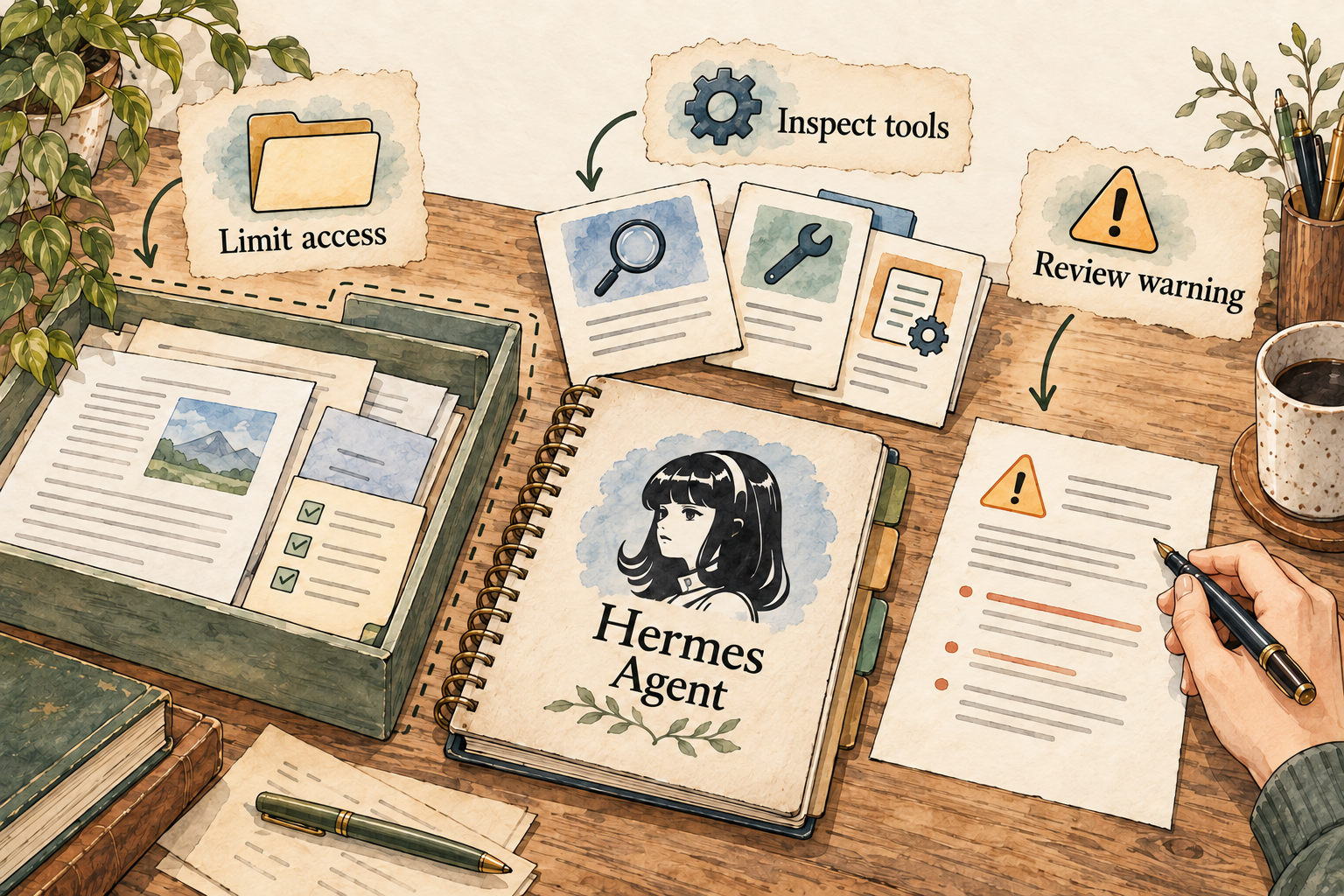
Image description
- Restrict tool access and use an appropriate isolated environment.
- A destructive-command warning is an accident-prevention aid.
- Approval prompts are not a complete security boundary.
The destructive-command approval gate is an accident-prevention heuristic, not a security boundary.
Use narrow permissions and an appropriate execution boundary as well as approvals. Ask for draft outputs before outside actions. An approval prompt can be useful when the agent cooperates, but it should not be treated as a complete defense against malicious input or every possible shell command.
4. How do I stop it or recover from a mistake?
The messaging guide lists /stop, /retry, transcript /undo and filesystem /rollback controls.
Choose the recovery tool for the effect. Removing a chat exchange does not restore changed files. Restoring a checkpoint does not retract a message sent through an external service. Before retrying a failed job, inspect whether a partial operation already succeeded and could be duplicated.
5. What does it remember?
Files carry context into the next session
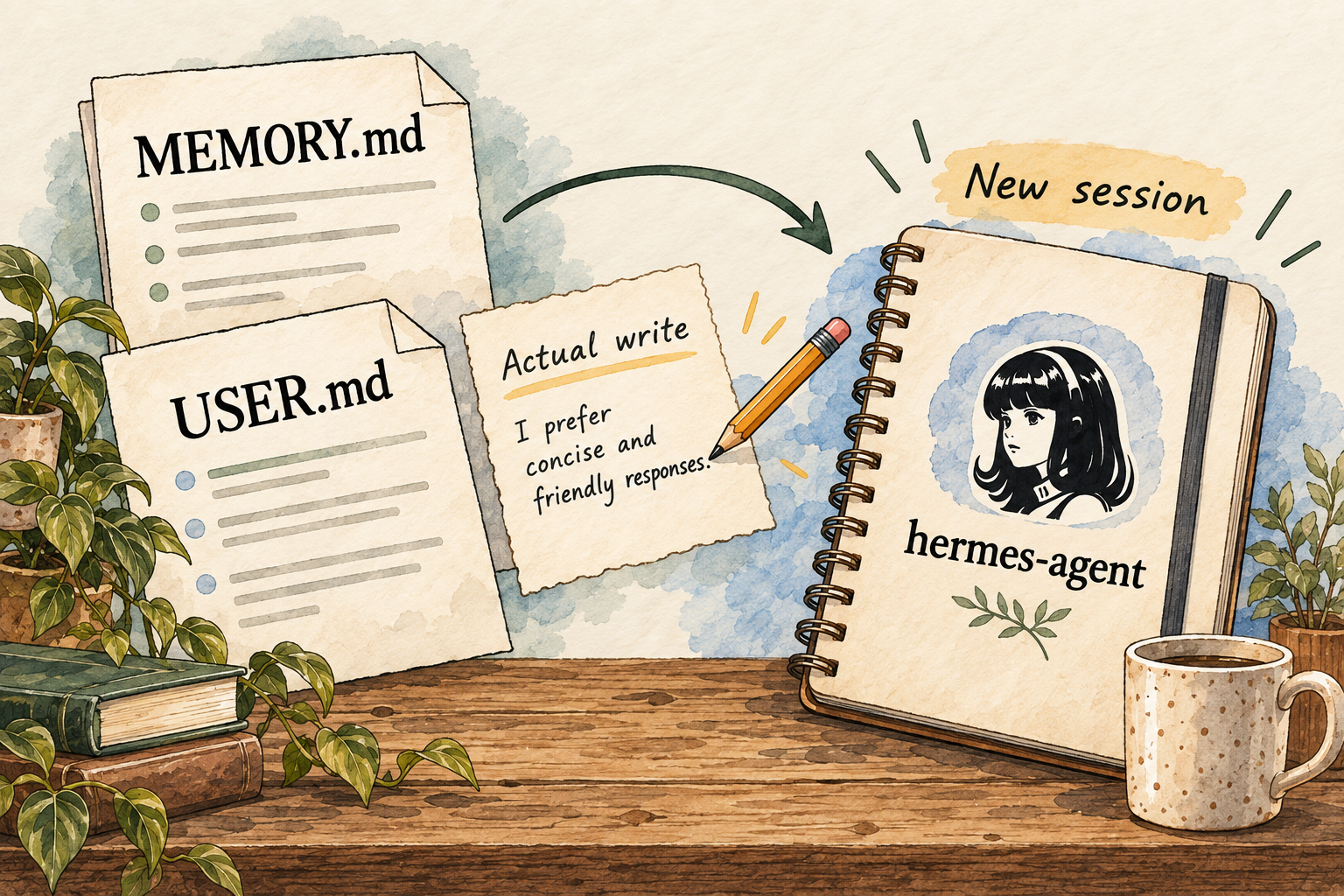
Image description
- Local MEMORY.md and USER.md files provide session-start context.
- Persistent changes require actual writes to those files.
- Inspect the files and reopen current sources when facts change.
The built-in memory uses local MEMORY.md and USER.md snapshots loaded at session start; memory changes need actual tool writes.
Confirm the harmless preference appears in the relevant file and then start a new session. A sentence saying it remembered is insufficient evidence. Keep long reference material outside compact memory and ask it to reopen current data rather than compressing changing facts into a permanent assumption.
6. Can I change or delete its memory?
Memory entries support add, replace and remove. Optional write approval stages changes for review.
This gives you a concrete place to inspect a preference and a concrete gate for changes. When evaluating, distinguish your user profile, agent notes and saved sessions. Edit a disposable example, verify what changed and check the next session rather than relying on a report from the same running context.
7. Which apps can I connect?
The gateway documents Telegram, Discord, Slack, WhatsApp and other surfaces; the project also documents MCP integrations.
Each connection adds another permission and processing path. Review the integration’s code, scopes and credentials before using it. A messaging gateway also needs access controls: being reachable from a chat app should not mean anyone can command the instance. Avoid connecting several channels before one bounded workflow is understood.
8. Where does my information go?
The FAQ says conversations, memories and skills are stored locally, while model requests go to the configured provider.
Hermes FAQ and troubleshooting
Local state is useful for inspection and backups, but it is not enough to claim that the whole job stays on-device. Inventory the main model, auxiliary models, messaging channel, browser/search and every plugin. A cloud provider or external tool can receive information even when the conversation database is on your disk.
9. Where does the agent run?
The local-model guide supports on-device inference through Ollama and describes desktop local-model options.
You can evaluate a local-model configuration when keeping inference under your control matters. Account for machine availability, model size and tool support. A server installation can keep work available while a laptop is offline, but maintaining that server, its updates and backups becomes part of the job.
10. What privacy controls do I have?
Configuration documents optional gateway PII redaction for selected identifiers on supported channels, with limitations.
Hermes configuration and privacy
Do not treat that toggle as anonymization of a document or a private conversation. It covers specific identifiers, not every name or fact in arbitrary content. Set a policy for what inputs may be sent to your chosen provider, and keep credentials separate from ordinary task instructions and saved notes.
11. What will it cost?
Hermes software is free under the MIT license; provider calls can carry usage charges.
Hermes FAQ and troubleshooting
The catalog records US$0 for software licensing. Add hosted-model usage, hardware and any server bill to estimate operating cost. Provider invoices matter more than an unverified agent-side estimate. A local model removes that API charge for its inference, but the computer and electricity are not costless.
12. How do I get started and find help?
The configuration guide documents provider, secrets, terminal backend and memory settings; the FAQ covers model/provider troubleshooting.
Hermes configuration and privacy
For a beginner, get help making a small supported installation and a written recovery procedure. Confirm where state is stored and how it is backed up. No setup-hour estimate, paid support entitlement or response-time promise was established, so those remain separate questions before using it for important ongoing work.
Things to check
- No configured installation or whole-process containment was tested in this project.
- Selected model quality, hardware needs, provider cost and integration compatibility require a specific configuration.
- Local analytics and software licensing do not establish a complete operating cost.
Try it yourself
These are suggested tasks to try, not tests we’ve run. Compare each result with the original information before relying on it.
- inspect the entire agent boundary with a technical operator before web or inbox access.
- save, inspect and remove a harmless preference across two fresh sessions.
- recover a disposable file from a checkpoint and distinguish it from transcript undo.
- compare one bounded task on local and hosted models using recorded, checkable outputs.
Sources reviewed
- Hermes Agent repository · checked 2026-09-30
- Hermes Agent security policy · checked 2026-09-30
- Persistent memory guide · checked 2026-09-30
- Hermes Desktop · checked 2026-09-30
- Hermes FAQ and troubleshooting · checked 2026-09-30
- Hermes configuration and privacy · checked 2026-09-30
- Hermes messaging and recovery · checked 2026-09-30
- Local Hermes with Ollama · checked 2026-09-30
Research describes documentation available on the check date. Features, prices and access can change. No test result or personal endorsement is implied.