
Guide · sources checked 2026-09-30
Manus
Start a multi-step research or document task from a supported chat entry point and review the returned file.
Official website · Explore agents
Manus at a glance
Original illustrated explanations by PersonalAgents, based on the linked documentation.
Chat starts the job; cloud tools do the work
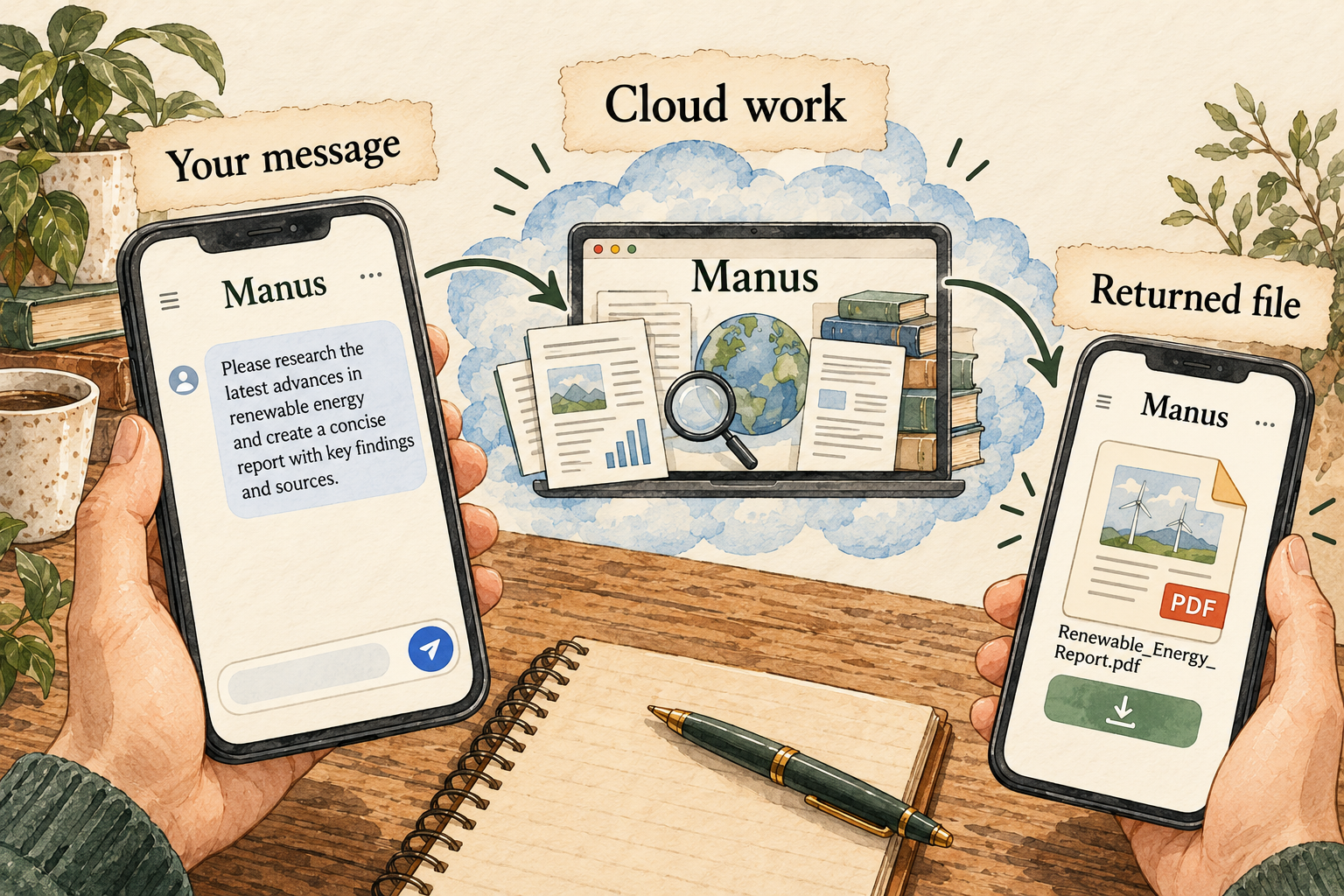
Image description
- Send a task through a supported entry point.
- The documented Telegram workflow executes in cloud workspaces.
- Inspect the returned artifact rather than only the chat reply.
A practical guide to Manus
Manus lets you start multi-step work through its own workspace and supported messaging entry points. Telegram is a documented example: a message starts the request, cloud tools carry it out and a result returns to the conversation. The important distinction is between a chat reply, a generated artifact and an external action you have actually authorized.
Last checked 2026-09-30. Links to the original documentation appear throughout this guide.
A familiar conversation can start a substantial job
The agent announcement describes research, documents and returned files through Telegram, with response preferences across interactions.
Introducing Manus in Your Chat
A chat message can be a useful brief, but it should name the desired output. For example, send a short public document and ask for a one-page briefing with dates, key claims and unresolved questions. The convenience of using a familiar chat app does not remove the need to specify sources, format and boundaries.
Typing a message on a phone does not mean the processing happens on that phone. Think of the messaging app as an entry point to a separate service. Decide whether the source material is appropriate for that service before sending it. A public sample is a better first input than a private conversation or workplace attachment.
Direct-chat scope is narrower than a general privacy promise
Manus says its Telegram agent accesses only the direct messages sent to it, not other chats, groups, contacts or pre-connection messages. It describes cloud VM execution.
Telegram access and cloud execution
That limitation is useful, but it does not mean the document you deliberately send remains on-device. A message can have a narrow access scope and still be processed by an online service. Check the material you are about to supply rather than treating the absence of access to other chats as the answer to every privacy question.
The task-visibility guide distinguishes private individual tasks from team-role access and shared tasks.
A team account and an individual account can have different audiences. Before sharing a task link, review the source attachments, generated files and instructions included with it. The person receiving the final brief may not need access to the entire working conversation. Sharing a finished file is a different decision from exposing the task that produced it.
A first document task with a clear evidence trail
Choose a public, short document that you can read yourself. Ask for a brief with a source title, date, three important points and unanswered questions. Require page references or direct links for consequential claims. Keep the task at the draft stage: no posting, sending, scheduling or account changes. This exercise is proposed, not a recorded successful Manus test.
Open the returned file. Check one date, one number and one exception against the source. Watch for an example being turned into a rule, or a proposal being presented as settled. If the original does not answer a question, the brief should say so. A complete-looking document built by guessing is less valuable than one with accurate boundaries.
Request a focused correction and inspect the revised artifact. For a phone workflow, also check that you can download and open the file in the place you intend to use it. A message announcing completion is not the same as a usable document. Save a local copy of useful work before changing or deleting its task.
Temporary execution does not settle every retention question
The disk-space guide describes temporary task workspaces and advises reducing task scope for resource limits.
Task workspace and disk-space guidance
Keep the execution workspace, task history and exported file distinct. A temporary virtual machine can be removed while a task record or downloaded artifact still exists. Conversely, a returned file may be your only useful copy after the execution environment ends. The word temporary should not become a claim that every account record is immediately erased.
For continuity, use a harmless preference such as a short summary format, not a sensitive personal detail. Ask which context the next task uses and how to correct it. The agent announcement describes persistent interaction, but this review does not establish all granular memory controls. A notebook in the illustration represents that question; it is not an invented settings screen.
A smaller task is easier to review and budget
The pricing help describes Free, Pro and Team choices with credit-based usage.
Before paying, check the current checkout and allowance for the model or capability you need. An entry price is not an unlimited workload promise. A single short brief is easier to inspect than a task that simultaneously researches, makes images, builds a website and starts recurring work. Keep the first trial narrow enough to see which step is useful and which fails.
If a task runs into a resource problem, preserve the partial output and narrow the request. Split a large input by a meaningful boundary, such as sections or topics. Do not assume retrying the whole request is harmless or free. Check whether a generated file or external action already exists before requesting another run.
A produced artifact and a published artifact are different
The space/website guide distinguishes making a generated space private from irreversible deletion of its task and associated material.
Deleting or hiding generated spaces
If your goal is a private briefing, ask for a file rather than a live site. If a site is generated, inspect visibility before sharing it. Hiding, deleting and downloading are different operations with different consequences. Preserve a useful copy before a destructive cleanup step, and do not treat a hidden link as proof that every account record has been removed.
Manus may fit someone who values starting work from chat and receiving a finished document without maintaining a server. It is a less certain fit if your central requirements are granular memory editing, local-only processing or a complete per-action approval matrix. The source set does not settle those requirements, so obtain current controls before delegating sensitive or irreversible work.
Answers to all 12 questions
Each answer explains what the official sources say and what that means in practice. “Evidence gap” means a detail we could not confirm; it does not automatically mean a feature is missing.
- Can I use it on my device and plan?
- What can it help me do?
- When does it ask my permission?
- How do I stop it or recover from a mistake?
- What does it remember?
- Can I change or delete its memory?
- Which apps can I connect?
- Where does my information go?
- Where does the agent run?
- What privacy controls do I have?
- What will it cost?
- How do I get started and find help?
1. Can I use it on my device and plan?
The Telegram announcement describes agent availability across subscription tiers and setup through the workspace’s Agents connection.
Introducing Manus in Your Chat
Confirm the entry point is available in your account and region. The announcement’s model examples can age; use the current account choices rather than assuming an old screenshot establishes every entitlement.
2. What can it help me do?
Use it for a bounded research or document job with a returned artifact. Define source material, expected format and review criteria. For the public-document exercise, dates, exceptions and unresolved questions matter more than producing a long fluent summary.
3. When does it ask my permission?
Keep the first request at the draft stage

Image description
- A full per-action approval matrix was not established.
- Request a draft without external changes for the first exercise.
- Inspect the target and content before allowing consequential work.
What we could not confirm: A universal tool-by-tool ask-first approval matrix was not established.
Request a draft without outside changes for the first exercise. Inspect the actual destination and effect before granting broader work. A helpful response in Telegram does not establish permission to send messages to other people or publish a result.
4. How do I stop it or recover from a mistake?
What we could not confirm: Complete stop, retry and undo semantics were not established by this source set.
Locate the current task controls before a trial. Keep a copy of the input and inspect partial outputs before retrying. A corrected response does not necessarily reverse an action already taken in another service.
5. What does it remember?
Preference, workspace and exported file differ
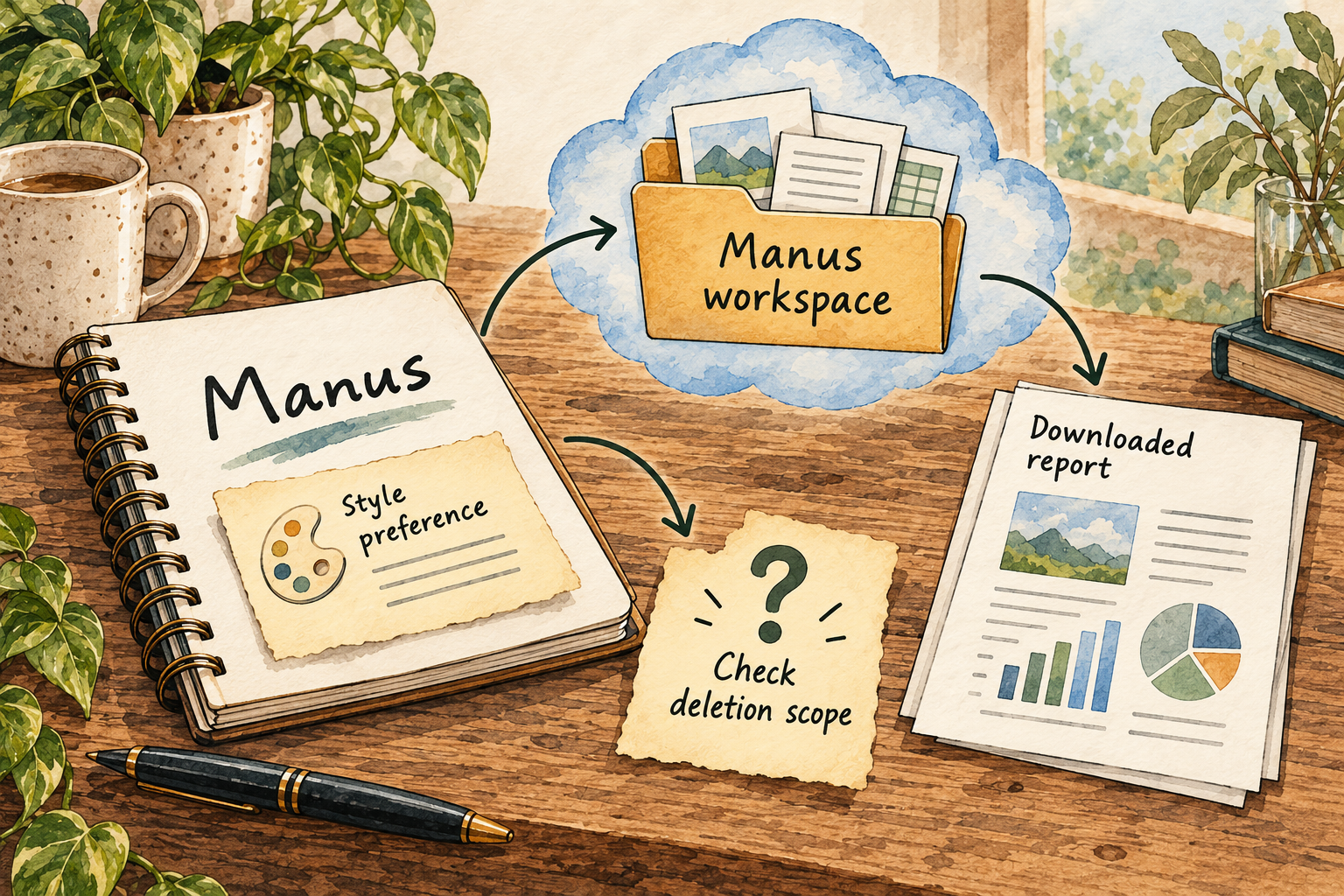
Image description
- The agent announcement describes continuity and response preferences.
- A task workspace differs from account history and exports.
- Confirm memory and deletion controls for the current product.
The agent announcement describes continuity and response preferences, but the full memory model is not established here. Use a harmless formatting preference to evaluate continuity. Keep important changing facts in dated source files and ask for fresh verification rather than relying on an old chat.
6. Can I change or delete its memory?
What we could not confirm: Granular memory inspection, item-level deletion and export controls remain unconfirmed.
Ask which store a deletion control affects: agent context, task history, execution files or exported outputs. A temporary workspace is not proof of deleting every account-level record. If a particular remembered detail must be removable, confirm that procedure first.
7. Which apps can I connect?
Telegram is a documented messaging entry point; the announcement gives connected-email meeting preparation as an example.
Introducing Manus in Your Chat
A public document trial needs no email connection. For later integrations, inspect the account, scope and recipient of any data. Availability of a connector does not establish workplace authorization or reliability of its actions.
8. Where does my information go?
The Telegram safety guide describes cloud execution. The phone is an input and review surface, not evidence of on-device processing. Keep a list of messages, uploaded files and downloaded copies so storage questions can address the actual objects instead of a general claim about the agent.
9. Where does the agent run?
This is a managed service in the documented workflow; the setup does not require you to configure a server. That reduces maintenance work but also means provider processing and account terms matter. A locally downloaded result is separate from the place the agent ran.
10. What privacy controls do I have?
Review direct-chat scope, task sharing and team visibility separately. A private conversation with the agent can still contain material processed by the service. Do not supply confidential work until the account’s retention and access terms match the intended use.
11. What will it cost?
The reviewed pricing help identifies a Pro entry point at US$20 per month with credit-based limits.
Check current checkout, billing period, model entitlement and allowance; the help article may lag newer options. We did not buy a plan or measure a task bill. Compare actual small-task usage before deciding that recurring work is affordable.
12. How do I get started and find help?
Use the official workspace’s Agents connection, then the supported chat link or QR flow. Start with one public document and a draft-only brief. If a messaging account is unavailable, the web workspace provides a separate place to check the task; do not infer a specific recovery guarantee from that alternative entry point.
Things to check
- Granular memory, retention and complete deletion controls need further current evidence.
- Per-action approval and recovery behavior need account-level verification.
- Current model entitlements, task costs and exact-revision editorial approval are not established.
Try it yourself
These are suggested tasks to try, not tests we’ve run. Compare each result with the original information before relying on it.
- Start the public-document brief through an available entry point, without private integrations.
- Check the returned artifact against source dates, figures and exceptions.
- Verify visibility, stop controls and actual usage before recurring or externally acting tasks.
Sources reviewed
- Introducing Manus in Your Chat · checked 2026-09-30
- Current membership pricing · checked 2026-09-30
- Telegram access and cloud execution · checked 2026-09-30
- Who can see Manus tasks · checked 2026-09-30
- Task workspace and disk-space guidance · checked 2026-09-30
- Deleting or hiding generated spaces · checked 2026-09-30
Research describes documentation available on the check date. Features, prices and access can change. No test result or personal endorsement is implied.