
Guide · sources checked 2026-09-30
Muse
Give Muse a goal and let it organize connected information, track progress and bring decisions back to you.
Official website · Explore agents

Muse at a glance
Muse identity mark · official source · checked September 30, 2026
Illustrated explanations by PersonalAgents, based on the linked documentation.
From a goal to ongoing work
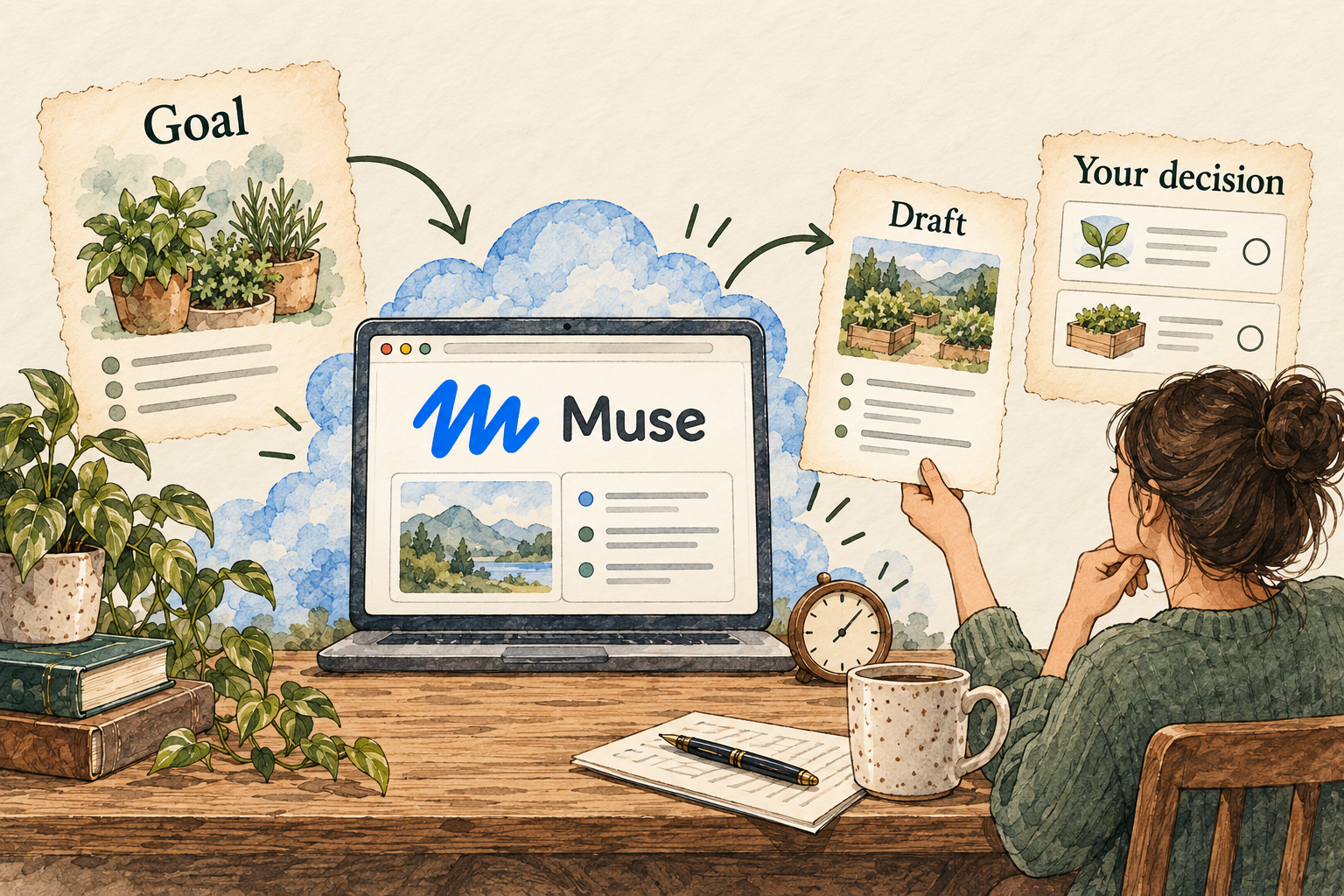
Image description
- Describe a goal and choose the information Muse may use.
- Muse works on its own computer and can continue in the background.
- Review its activity, proposed decisions and results.
Your control point: Review activity, approved permissions and editable memory. Privacy questions identified in the report remain unresolved.
Inside the product
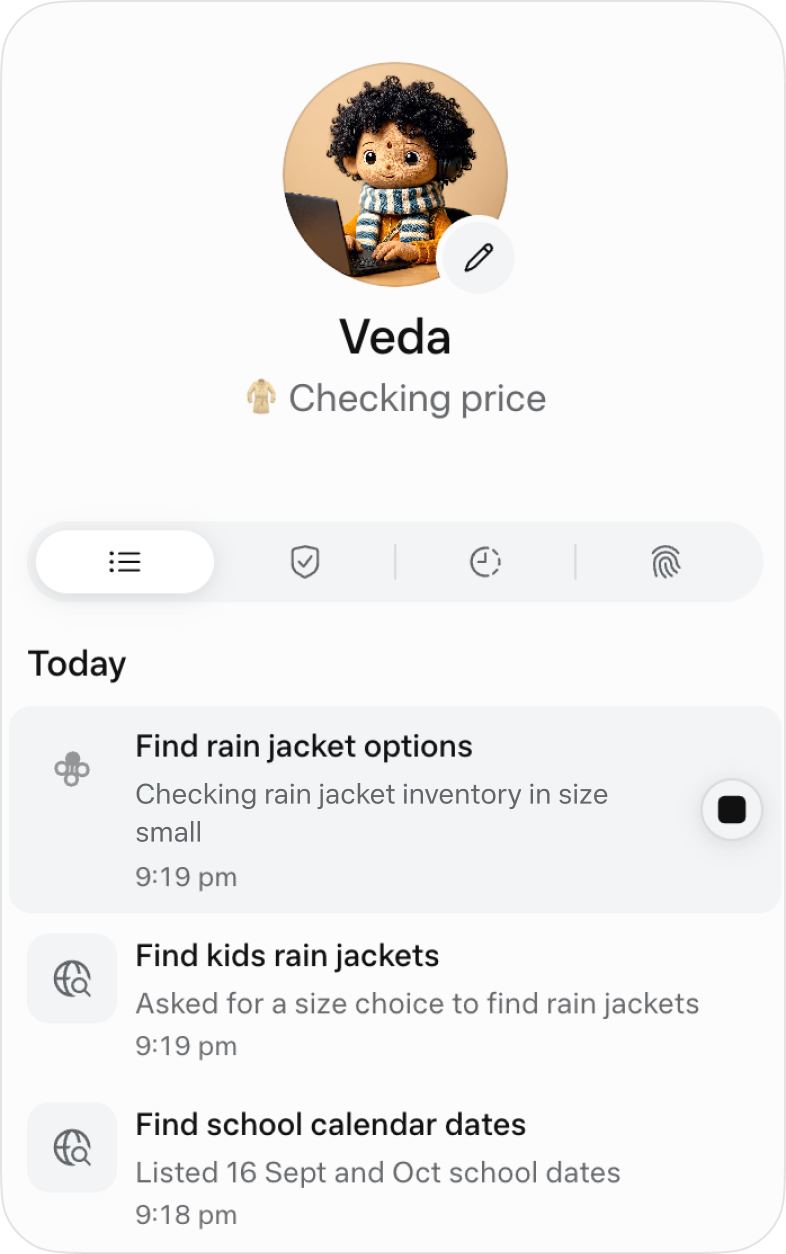
Official image source · checked September 30, 2026. Vendor image; no hands-on testing implied.
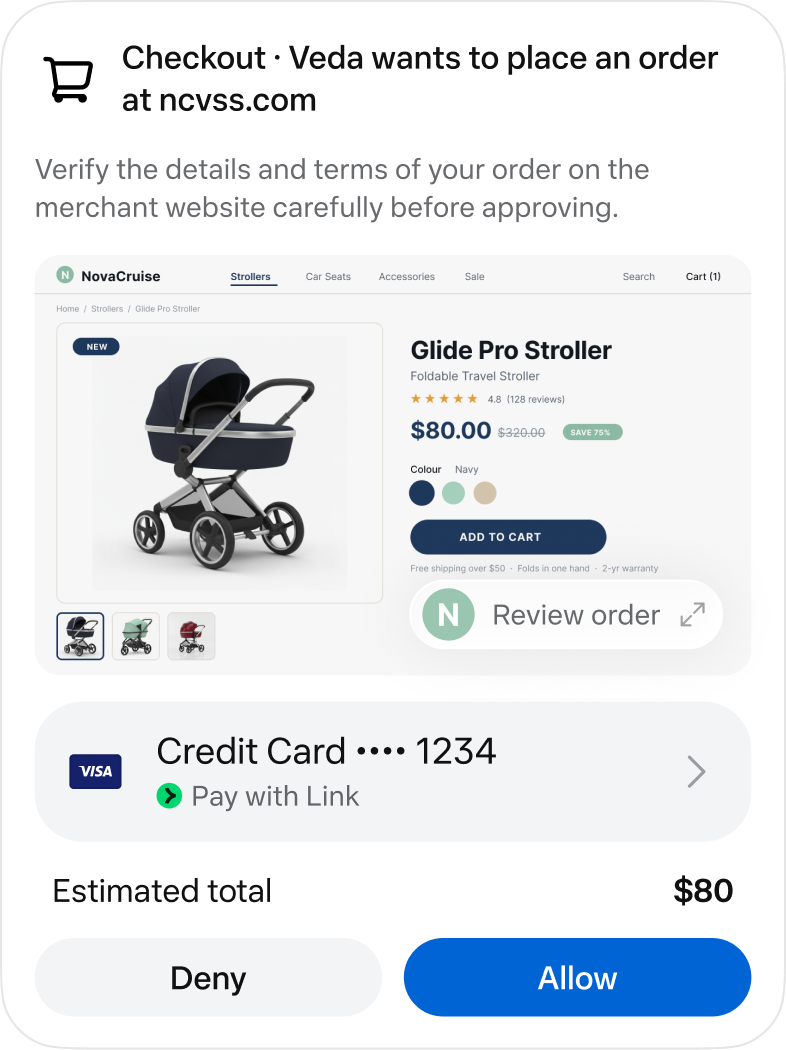
Official image source · checked September 30, 2026. Vendor image; no hands-on testing implied.
Identity marks and vendor images belong to their respective owners. Images load from the linked official publishers and may change or become unavailable.
A practical guide to Muse
Muse is aimed at ongoing personal responsibilities rather than isolated questions. The useful decision is whether you want an agent that follows a goal, proposes next steps and works across selected services. That requires more attention to permissions and stored memory than a one-off chat. The following report separates Meta’s documented design from the checks a reader should perform before relying on it.
Last checked 2026-09-30. Links to the original documentation appear throughout this guide.
A dedicated computer for personal goals
Meta describes a dedicated cloud computer, app/WhatsApp interaction and continued work after the app closes.
A possible trial is a trip plan with explicit dates and a draft itinerary. Ask for decisions to be returned to you rather than letting the goal expand into open-ended booking. Decide what “done” means: a shortlist you can check, not a pleasant conversation about travel. Ongoing responsibility needs a stopping condition as well as an objective.
How you supervise work over time
The design article describes a main conversation, side chats, a Goals view, an activity log and editable memory files.
Before giving it a second responsibility, try finding the status of the first one. You should be able to tell what is pending, which inputs were used and what permission you granted. Separating topics helps you review them, but this report does not establish side chats as confidentiality boundaries.
An unresolved difference in privacy disclosures
Meta says VM conversations/data are not shared with its ad systems. The developer’s App Store disclosure lists advertising-related data categories; Apple says it has not verified the disclosure.
Muse from Meta: developer App Store listing · How Meta built safety into Muse
These statements cannot be flattened into a blanket “no advertising use” promise. Their scopes may differ, but that explanation needs confirmation. A privacy-sensitive reader should request a product-specific answer that distinguishes VM contents, browser activity, app metadata and linked Meta services. The conflict remains open in this report rather than being resolved by assumption.
A first project: plan before shopping
Imagine you want a small herb garden on a balcony. A useful first request would include the space available, the amount of sun, a spending ceiling and whether you rent the property. Ask Muse to produce two possible plans, a materials list, reasons for the plant choices and links to public sources. Keep this first job at the planning stage. A plausible picture of a garden is not evidence that the selected plants will suit your conditions.
Ask it to separate assumptions from facts you supplied. If you did not measure the balcony, it should not quietly invent dimensions. If a plant needs more sunlight than you have, that limitation should appear next to the recommendation. The most valuable output may be a question for you rather than a completed shopping list. An agent that carries a goal forward still needs reliable information about the real world.
Before buying anything, open the source for the most important care claim and inspect the actual supplier listing. Check size, delivery, substitutions and total cost. A good-looking plan can fail because it priced one item but linked another. You can give corrections and request a second draft without approving a transaction. This exercise tests whether the explanation helps you make a decision; it does not require connecting email, banking or a personal calendar.
Permission is a scope, not just a yes or no
Think of an approval as a sentence with boundaries: which service, which action, which object, for how long. “Read these three public pages for this plan” is a different decision from “use my account whenever the project needs it.” Before accepting a request, restate what you intend to allow and compare it with the actual permission shown. A small first project does not justify permanent access to unrelated information.
For background work, decide what counts as a useful update. You might want an alert when a source changes, a revised plan when you add a constraint, or a draft when a choice is needed. You probably do not want repeated purchases or messages merely because a broad goal remains unfinished. Describe the stopping condition, including what should happen if information is missing or conflicting. This is practical briefing advice, not a claim that every instruction becomes an enforced boundary.
If the task reaches a checkout, inspect the destination, exact items, quantities and amount before allowing it to continue. Read the active permission scope again if the task changes from research to action. Returning to a browser yourself is a chance to understand the state of the job, not proof that earlier activity has been undone. Keep a record of decisions that matter so a later update can be compared with the original request.
Where Muse fits, and where to hold back
Muse is most interesting when your problem continues over time and benefits from organized context: keeping a project moving, tracking changing information, or turning scattered inputs into a decision you can review. For a single definition or quick rewrite, you may not need a persistent agent with connected accounts at all. Start with the least access that still answers your real question.
The difference between a helpful suggestion and a justified decision matters here. A suggestion can give you options; a decision should show how each option meets your constraints. Ask for rejected alternatives and unresolved questions alongside the recommendation. That makes the output easier to challenge, especially when the agent has learned preferences that might now be out of date.
The current privacy questions in this report make confidential inputs a separate decision. A public garden plan and a sensitive workplace project do not have the same data requirements. If the job depends on provider access restrictions, precise retention terms or a control that has only been announced, obtain confirmation before using the service for that job. More automation is useful only when its data path and review burden fit the task.
Answers to all 12 questions
Each answer explains what the official sources say and what that means in practice. “Evidence gap” means a detail we could not confirm; it does not automatically mean a feature is missing.
- Can I use it on my device and plan?
- What can it help me do?
- When does it ask my permission?
- How do I stop it or recover from a mistake?
- What does it remember?
- Can I change or delete its memory?
- Which apps can I connect?
- Where does my information go?
- Where does the agent run?
- What privacy controls do I have?
- What will it cost?
- How do I get started and find help?
1. Can I use it on my device and plan?
The launch specifies US rollout on iOS, Android and the web. The US iPhone listing requires iOS 18+ and carries an 18+ rating.
Muse from Meta: developer App Store listing · Introducing Muse
Check the official listing and the account’s access screen for your device and location. A list of translated app languages is not proof of full capability in each language. Global availability should not be inferred from the product’s ambition to serve a large audience.
2. What can it help me do?
The developer listing describes email, scheduling, reminders, shopping comparisons, expense tracking and connected health/fitness tasks.
Muse from Meta: developer App Store listing
Treat these as categories of intended use, not verified outcome quality. Start with a public-information shopping comparison rather than a purchase. An answer about expenses or fitness still needs appropriate checking; connecting a service does not establish professional expertise or accuracy in a high-stakes decision.
3. When does it ask my permission?
Check the scope before approving
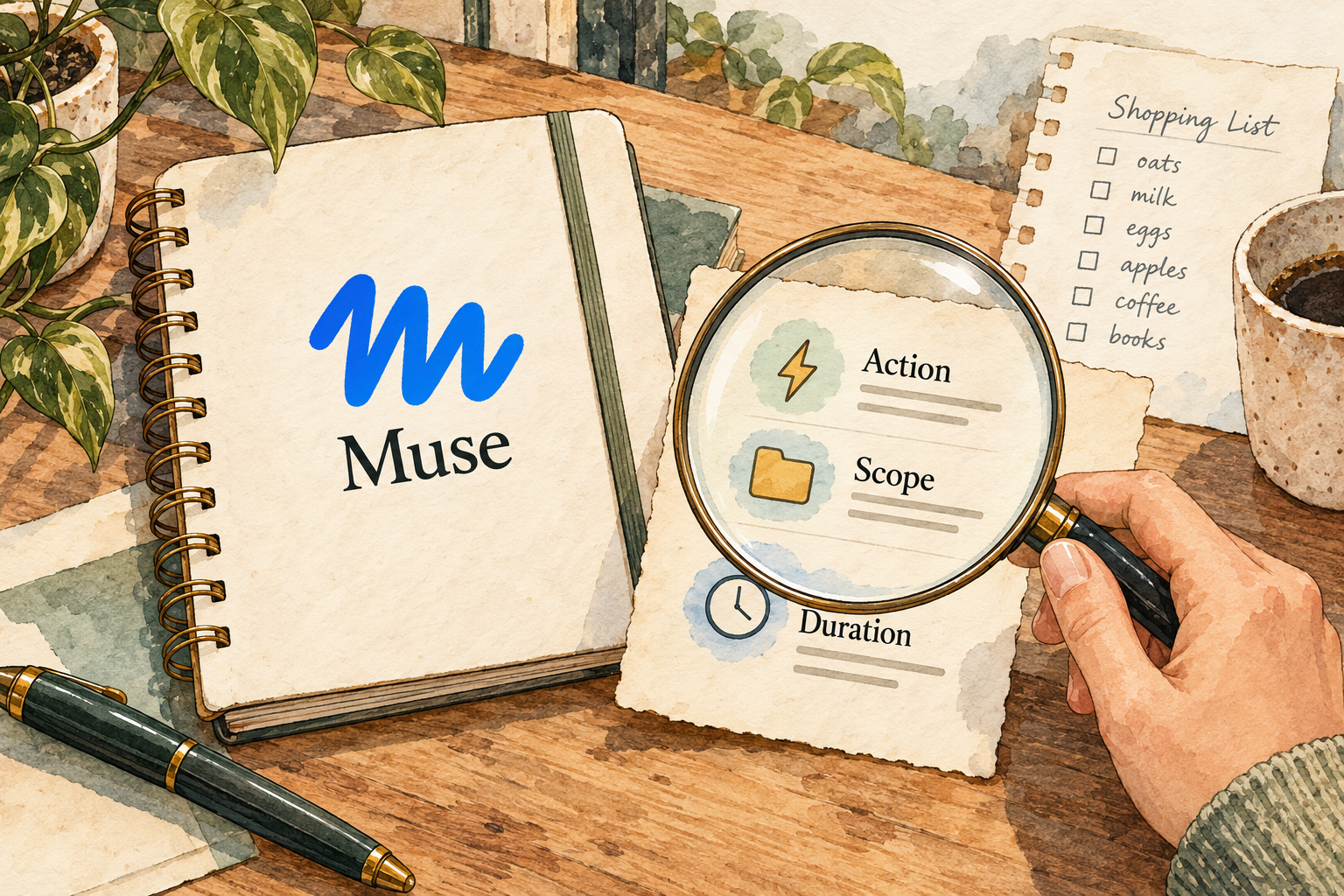
Image description
- Review the action, recipient or purchase details.
- An approval can have a defined scope and continue to apply.
- Check existing permissions as well as each new request.
Sentinel decides whether to allow, deny or ask. Approval grants have defined scope and can persist; routine permitted actions may proceed without another prompt.
How Meta built safety into Muse
Review the action’s target, amount and duration before granting permission. “Help me plan” should not be your only instruction if the workflow could spend or contact someone. For a first evaluation, require a shortlist or draft and decide separately whether to authorize the outside action.
4. How do I stop it or recover from a mistake?
Activity and permission views expose work; the browser can be taken over. Meta describes continuous VM backups.
How Meta built safety into Muse
Inspect the log after a failed task and identify the last completed outside action. Restoring stored state and undoing a transaction are different problems. A backup cannot be assumed to cancel a reservation or retract an email; use the affected service’s own controls where an action has already happened.
5. What does it remember?
Remembered context needs a fresh check

Image description
- Muse keeps context across conversations.
- Its memory files can be read and edited.
- Check changing facts against current sources before acting.
Muse retains context across conversations and can use it for proactive suggestions.
Evaluate memory with a harmless preference and a later task where it matters. Also correct a preference and see whether future suggestions follow the correction. Persistence is useful only when it helps the current job; a remembered detail should not be treated as current evidence about something that changes.
6. Can I change or delete its memory?
Meta documents telling Muse to forget specific information and reading/editing its memory files.
Use these controls with a non-sensitive example before uploading personal history. Ask what remains in the conversation, generated files and backups after a memory correction. Editing a note can improve future behavior without proving that every retained copy has been deleted from the service.
7. Which apps can I connect?
Meta describes third-party and Meta connectors, with user-selected access. Built-in credentials are separated from the agent runtime.
How Meta built safety into Muse
Choose one integration for the trial and review its precise scopes. Calendar reading is a different permission from changing events, and inbox reading is different from sending mail. Keep a written list of grants so you can revoke them systematically if you stop using the agent.
8. Where does my information go?
Muse’s system of record is its cloud VM, with some data leaving for inference and telemetry; a local-only service was not established.
How Meta built safety into Muse
Downloading an output to your phone does not make the job local. If you must keep source material entirely on your device, this architecture does not establish that requirement. Assess the hosted-service terms before using confidential documents, rather than relying on the word “dedicated” alone.
9. Where does the agent run?
The product is a managed cloud service. Confidential VM is planned for later this year; it is not established as generally available today.
How Meta built safety into Muse
Compare current controls with your current requirement, not a future announcement. If provider inability to access data is essential, obtain confirmation of the exact mode available to your account. Do not assume the ordinary VM inherits a promised future confidential-computing property.
10. What privacy controls do I have?
Meta documents connector revocation, training opt-out and memory controls. Its safety article says current operational policies do not prevent all Meta access.
How Meta built safety into Muse
Read the app’s privacy disclosures alongside the engineering explanation. Decide whether you accept provider processing, whether training is enabled and which connected information is necessary. The App Store discrepancy above needs clarification; this report is not a legal interpretation or an independent privacy certification.
11. What will it cost?
Meta announces free access plus paid plans. A reliable current paid-price/allowance table was not accessible in this investigation.
The catalog records US$0 for the identified free tier. That does not mean every amount of agent work is free. Before buying, check the in-app plan, billing period and allowance; save the quoted terms for review. Unverified third-party prices have not been promoted to a known paid-plan answer.
12. How do I get started and find help?
Meta’s design materials describe naming the agent, onboarding suggestions, goals and settings. No measured setup time or support commitment was established.
Begin with a concrete responsibility you can review without connected personal data. Find the activity and permissions screens before enabling background work. If a control described here is absent, check the installed version and rollout status rather than assuming the agent has silently applied it.
Things to check
- Advertising-related App Store disclosures need reconciliation with the narrower VM/ad-system claim.
- Paid prices, allowances, precise retention/deletion scope and support commitments remain unverified.
- General availability of Confidential VM has not been established.
Try it yourself
These are suggested tasks to try, not tests we’ve run. Compare each result with the original information before relying on it.
- create a public-source itinerary without booking or sending.
- inspect a harmless remembered preference, edit it and verify its later use.
- locate an activity entry and the exact permission behind a draft-only task.
- obtain a product-specific explanation of the App Store privacy discrepancy.
Sources reviewed
- Introducing Muse · checked 2026-09-30
- How Meta built safety into Muse · checked 2026-09-30
- How Meta designed Muse · checked 2026-09-30
- Muse from Meta: developer App Store listing · checked 2026-09-30
Research describes documentation available on the check date. Features, prices and access can change. No test result or personal endorsement is implied.