
Guide · sources checked 2026-09-30
Perplexity Computer
Turn several sources into a comparison or report; use the separate Mac-connected variant only when the job needs it.
Official website · Explore agents
Perplexity Computer at a glance
Original illustrated explanations by PersonalAgents, based on the linked documentation.
Cloud Computer and Personal Computer differ

Image description
- Choose the cloud service or device-connected variant.
- Local folders and app control require the Mac setup.
- Check the result and the credit usage.
A practical guide to Perplexity Computer
Perplexity Computer combines research and tool use into longer tasks. Personal Computer is the related Mac-connected experience, with different access requirements. A useful first task is a small sourced comparison: the reader should be able to trace each important row back to an original source and understand which version of Computer is doing the work.
Last checked 2026-09-30. Links to the original documentation appear throughout this guide.
Computer and Personal Computer are not interchangeable
Computer is a managed service for multi-step work. Personal Computer adds Mac folders, native-app control and Comet browsing.
A cloud comparison of public products does not require access to every file on your Mac. A job involving local drafts does. Choose the experience from the inputs and actions the task needs, rather than from a promise that one agent can handle everything. Keep the cloud service and the device-connected variant distinct when reading setup instructions.
The Mac product page specifies macOS 15 or later and describes remote access to an available Mac.
If you want work to continue while a laptop is unavailable, confirm the actual execution location. Remote access to a Mac is not the same as moving its local folders into a cloud task. A device-connected job depends on device availability and permissions as well as the online account.
Make the comparison support a real decision
Imagine you are choosing a public scheduling tool for a small volunteer group. Name three options and the criteria that matter: shared availability, reminders, export and current price. Ask Computer for a comparison with direct source links, dates and visible unknowns. Avoid asking for the best tool in general; a ranking without criteria cannot explain whether it fits your group.
Request a distinction between a documented feature, a vendor promise and a detail that could not be confirmed. A support page about one plan should not silently become a claim about every plan. For pricing, request the billing period and any required paid tier. For export, ask what format is documented rather than accepting a generic check mark.
Keep the first task to a draft table or report. Do not add account creation, paid subscriptions or invitations to volunteers. The purpose is to test the quality of the comparison, not the agent’s ability to take every possible next action. This is a suggested exercise; it does not record a successful product trial.
Review one row across every source
Choose the criterion with the greatest effect on your decision and open the cited original for all three options. Check that the report did not mix a free tier with a paid one, or treat an undocumented feature as absent. Inspect the page date and any conditions. A direct link helps verification, but it is not proof that the summarized claim is correct.
Ask Computer to revise a row when it is wrong and explain the changed assumption. Then review the revised artifact, not just the apology or conversational acknowledgement. If a source cannot be reached, keep the unknown visible. A table that looks complete by filling gaps with guesses is less useful than one that shows exactly what you still need to investigate.
A recurring monitor needs the same discipline. Define what change matters and which source establishes it. A new blog post, a pricing-page update and a confirmed plan change are different events. Without that distinction, a useful one-time comparison can turn into repeated noisy updates.
Mac access expands both capability and review
The setup guide covers the Mac app, Comet, operating-system permissions, selected folders/apps and phone pairing.
For a local trial, create a folder with disposable copies and no unrelated personal material. Read each permission request in terms of the job: screen observation, file access and app operation have different effects. Connecting a folder should solve a specific input problem, not become the default answer to every setup question.
The Mac page describes an isolated environment and authorization for sensitive steps, without a complete per-action matrix.
Before allowing consequential work, inspect the target and effect. A general statement about sensitive actions does not answer every question about sending, deletion or logged-in browser work. Keep the first Mac job at the draft stage and locate the current stop controls before using an important account.
Credits make scope part of the budget
Computer work consumes credits; usage settings expose balances and task usage. Standard Ask searches do not consume Computer credits.
A subscription is only part of the cost decision. A small comparison and a long recurring project can use very different amounts of work. Check the allowance, reset and top-up settings in the intended account before enabling a routine. Do not treat an illustrative credit figure as a guaranteed quote for your task.
Give the agent a stopping rule when the required source is missing or when the initial draft is ready for your review. An open-ended instruction to investigate everything is harder to evaluate and budget. Inspect the usage of an actual small task before deciding whether the workload is economical. We have not measured task cost or purchased credits.
Use the service for checked synthesis, not automatic trust
Computer is most useful when the work involves gathering several sources and turning them into a coherent deliverable. It is less useful if the output makes the source trail harder to follow or your decision depends on a control the documentation does not establish. A good report should reduce your reading burden while preserving the evidence needed to challenge its conclusions.
If local-only processing, granular memory editing or a complete recovery guarantee is essential, this source set does not settle those requirements. Obtain current evidence for the exact product and account. Keep source documents, generated files and remembered context distinct so you can ask precise questions about retention and deletion.
Answers to all 12 questions
Each answer explains what the official sources say and what that means in practice. “Evidence gap” means a detail we could not confirm; it does not automatically mean a feature is missing.
- Can I use it on my device and plan?
- What can it help me do?
- When does it ask my permission?
- How do I stop it or recover from a mistake?
- What does it remember?
- Can I change or delete its memory?
- Which apps can I connect?
- Where does my information go?
- Where does the agent run?
- What privacy controls do I have?
- What will it cost?
- How do I get started and find help?
1. Can I use it on my device and plan?
The Computer product page lists access through Pro and Max and multiple supported surfaces.
Check your own account, current allowance and workspace restrictions. For Personal Computer, verify the Mac requirements separately. Cloud availability does not mean the same local-file or app-control capabilities are present on every device.
2. What can it help me do?
Computer supports research, reports, browser work and recurring monitoring, with delegated tool use.
A useful brief names the decision, comparison criteria and evidence standard. Require unknowns and source dates. Adding more delegated work does not remove the need to verify a consequential claim.
3. When does it ask my permission?
Confirm the action and the current task state

Image description
- The Mac product describes authorization for sensitive steps.
- A complete per-action approval list was not established.
- Review access and outputs before broadening the task.
The Mac product describes authorization around sensitive steps, but the reviewed evidence does not establish an ask-first rule for every action. Review the tool scope, actual destination and content before allowing changes. Keep the first task to a sourced draft.
4. How do I stop it or recover from a mistake?
What we could not confirm: A complete user-facing stop, undo and recovery matrix was not established for both variants.
Locate the current stop control in the task interface and use recoverable sample files. Before retrying, inspect whether a partial output already exists. A stopped task does not automatically reverse an external action or remove every file it created.
5. What does it remember?
A saved output is not proof of memory
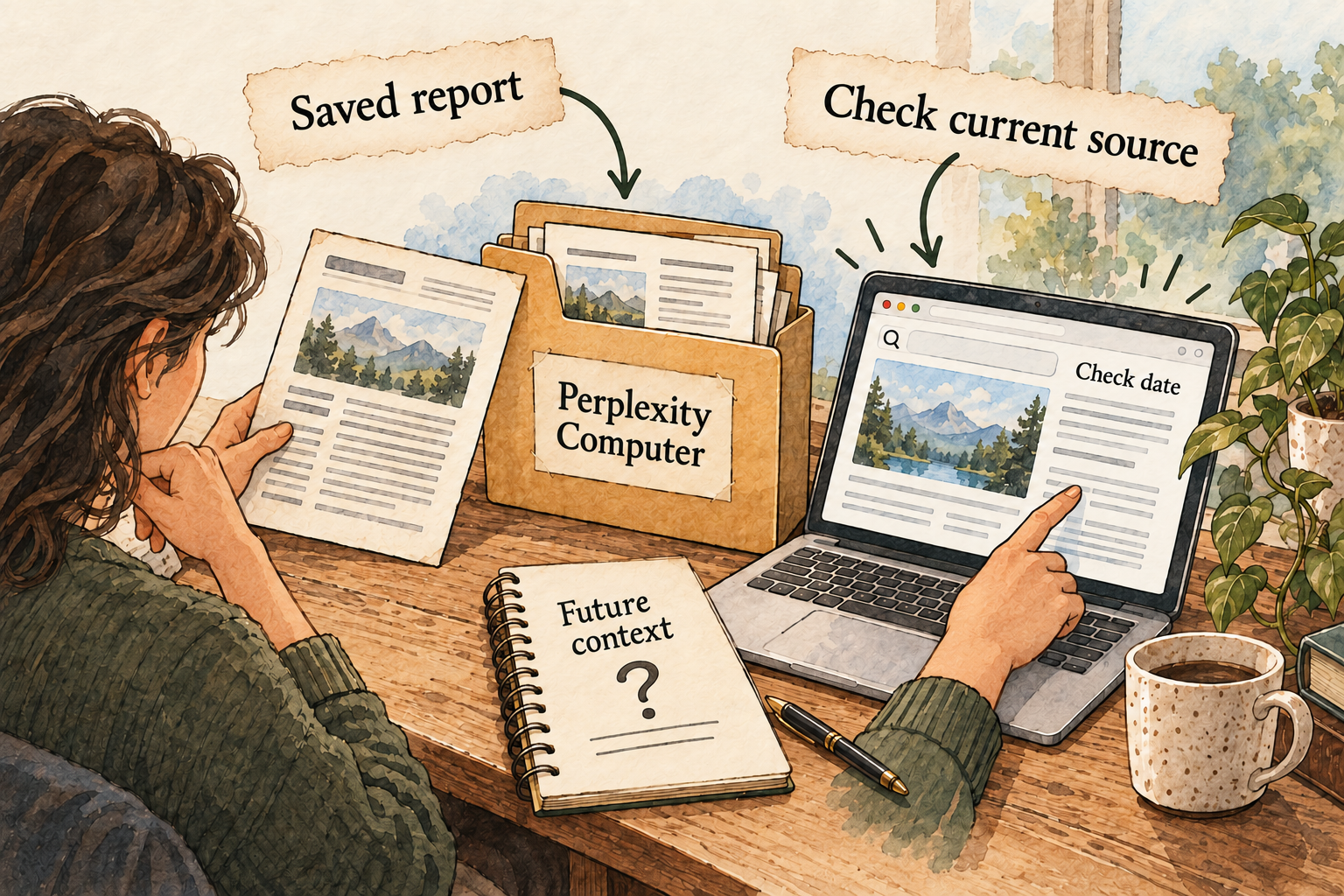
Image description
- Keep a copy of useful outputs.
- Cross-task memory and granular deletion need confirmation.
- Reopen changing sources instead of relying on prior summaries.
What we could not confirm: The reviewed sources do not establish the full cross-task memory model.
Do not infer remembered preferences from a saved report or visible conversation history. For changing facts, require a fresh source check. If continuity matters, evaluate it with a harmless preference and ask which store supplies the later context.
6. Can I change or delete its memory?
What we could not confirm: Granular memory inspection, editing, export and deletion were not confirmed.
Ask about the specific detail you need to remove and all places it appears. Deleting an exported report is not evidence of deleting its source conversation or any retained context. This gap may affect fit if item-level correction is a requirement.
7. Which apps can I connect?
The cloud product names Gmail, Slack, Notion and Calendar connections.
Choose connections only when they add needed evidence or actions. A public comparison needs none of these accounts. A workplace connection also needs organizational authorization, and read access is a different choice from write access.
8. Where does my information go?
Local folders in Personal Computer do not establish a local-only data path. Ask which information reaches hosted models, connected services and browser destinations. This report does not confirm every storage location or retention period, so begin with public or disposable inputs.
9. Where does the agent run?
Use Computer’s managed cloud workflow for cloud-available material, and the Mac-connected setup for appropriate local tasks. The latter adds device availability and operating-system permissions. Confirm those prerequisites before relying on remote or ongoing work.
10. What privacy controls do I have?
What we could not confirm: Plan-specific training controls, precise retention and end-to-end deletion were not established in this review.
Read the current account policy before providing confidential material. Isolation and on-device authorization describe execution controls, not a complete statement about provider access or all stored copies.
11. What will it cost?
The current source set establishes credit-based work but does not fix one reliable monthly price for every relevant plan and region. Check the current checkout, allowance, expiry and top-up behavior. Keep a budget ceiling for the trial and inspect its actual usage before scheduling more work.
12. How do I get started and find help?
For a cloud trial, begin with the three-option comparison and no private connections. For the Mac variant, follow the official setup checklist, adding folders and apps deliberately. Keep a record of permissions and the app version so troubleshooting can target the actual setup.
Things to check
- Granular memory and deletion controls need further official evidence.
- Tool-specific approvals, stop/undo behavior and privacy terms need account-level confirmation.
- Monthly checkout, allowances and exact-revision editorial approval remain unverified.
Try it yourself
These are suggested tasks to try, not tests we’ve run. Compare each result with the original information before relying on it.
- Compare three public options using explicit criteria and visible unknowns.
- Open every source for one consequential row and request a correction if needed.
- Record actual task usage and verify stop controls before recurring or Mac-connected work.
Sources reviewed
- Perplexity Computer · checked 2026-09-30
- Personal Computer for Mac · checked 2026-09-30
- Personal Computer setup · checked 2026-09-30
- How Computer credits work · checked 2026-09-30
Research describes documentation available on the check date. Features, prices and access can change. No test result or personal endorsement is implied.