If you already use Cursor or ChatGPT, Grok Bot versus Dots may come down to which ongoing working arrangement fits you. Both can operate beyond a single reply. The difference is how you assign responsibility, connect information and supervise work that continues while you do something else.
Grok Bot emphasizes named Bots with particular jobs. Dots starts with a primary agent in ChatGPT. You can make either arrangement confusing by assigning an unlimited job; you can make it more useful by giving it a clear outcome and a review point.
This is a documentation-based comparison checked October 1, 2026, not a benchmark. We can explain their operating models without claiming that one writes better, reasons faster or makes fewer mistakes in a matched trial we have not run.
The decision in one table
| What matters to you | Grok Bot | Dots |
|---|---|---|
| Organizing responsibilities | Create named Bots for stable jobs | Start with a primary dot and assign ongoing work |
| Existing paid access | Qualifying Cursor or linked individual subscription | Eligible ChatGPT plan and market; workspace controls may apply |
| Information you connect | Plugins and account-level cloud workspace | ChatGPT plugin connections shared with Work and Codex |
| Repeating a method | Save a skill and schedule a routine | Give the dot ongoing work within its task and action controls |
| What to watch | Bots share files and signed-in sessions | Disconnecting plugins does not erase remembered context |
See Grok’s role guide, Cursor’s access rules, Dots setup and Dots permissions for the underlying product details.
One primary relationship or several named jobs
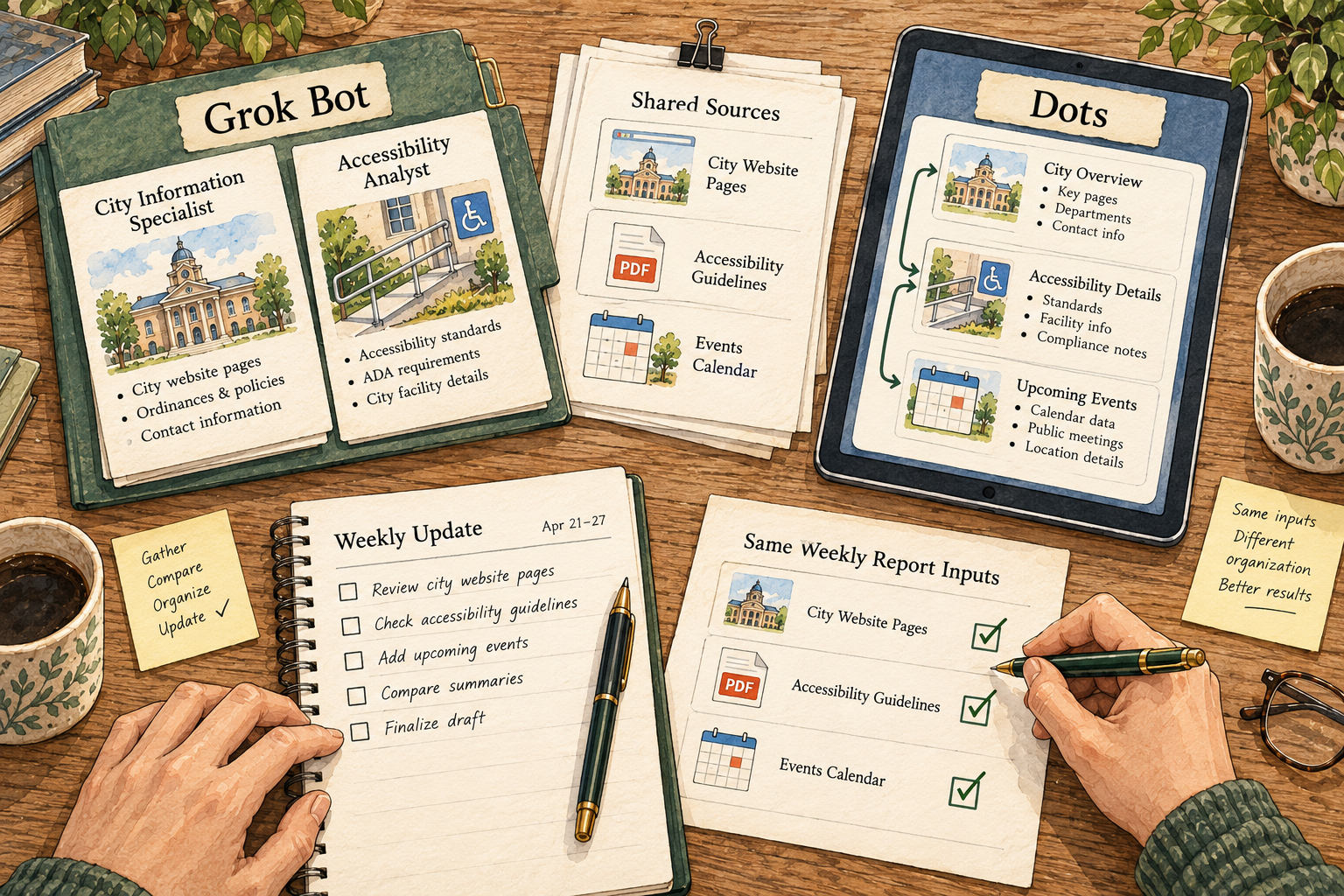
Think about a weekly business update. Someone must gather the inputs, identify what changed, prepare the report and leave decisions with you. A Bot called Weekly Review can own that whole outcome. A dot can also hold that continuing responsibility. Neither requires you to create a team of agents before the first report exists.
The named-role approach becomes useful when the jobs remain distinct. A sourcing role and a proofreading role may need different instructions and produce different artifacts. But a handoff creates another thing to check: did the second agent receive the correct sources, the latest brief and your approval boundary?
With one continuing agent, you avoid some of that routing. You still need project names, source locations and a way to distinguish old work from current work. “You know what I mean” is a poor substitute for the current brief when a deadline or budget has changed.
Our advice is to start with one responsibility. If you later add another role, be able to finish this sentence: “This separate role saves me time because…” If the answer is only that it looks like a team, keep the arrangement simpler.
The computer is a working environment, not a magic connection
Grok Bot’s account-level computer gives the Bots access to shared files and sessions, and offers a browser for services that do not have a suitable connector. A separate Bot conversation is not a separate login boundary. The details are in the computer and apps guide.
For Dots, the starting connections are the plugins you have granted through ChatGPT. A dot can inherit useful context from your existing setup, but you should review what is connected rather than assume a new agent has no access yet. That is especially relevant if you connected a broad document store for an earlier task and no longer need it.
A connection also has to support the work. Being able to read a document is different from being able to update it. Being able to browse a site is different from having a reliable way to export its data. Before an ongoing assignment, ask the agent to identify the required sources and which steps it can actually perform.
If a source is unavailable, ask for a specific missing-input note. For a weekly update, “Could not access the sales file” is useful. An invented estimate that fills the empty column is not.
Repetition works best after the method is clear
Grok’s skills describe reusable instructions; routines start that work again. See skills and routines. This lets you keep a stable review method while the week’s inputs change.
For either tool, describe the method before you ask it to repeat. A weekly report might require a comparison with the prior week, links to the original figures, an explanation of unusual changes and a section of unanswered questions. The review point is the proposed report, not permission to change the underlying records.
Then decide what should cause an interruption. A new missing source, a large change or a decision you reserved may be worth a message. A recurring “still working” update without new information may not be. You are designing a useful working rhythm, not trying to maximize notifications.
Dots’ proactive research is distinct from authorized task execution: its research tools are restricted to reading permitted sources, while follow-up actions use the usual controls. Do not interpret “always on” as permission to act on every useful-looking idea. A standing responsibility should say what to prepare and where to stop.
Memory is not the current source of truth
The Grok role guide describes separate learned context and conversations per Bot, while shared files and direct handoffs can move context between them. That supports durable responsibilities; it does not promise that a Bot has every recent fact in view.
Dots shares memory with ChatGPT under its documented settings. Its FAQ also distinguishes deleting the dot’s context from removing files and ChatGPT memories stored elsewhere. If you disconnect an app, information already received can remain in the dot’s context.
For a changing business figure, ask either agent to reopen the current source. For a preference, correct it explicitly. If an agent says the weekly budget is “what you usually spend,” the next question is which current record supports it. A familiar tone should not make an assumption harder to challenge.
If you need a clean separation between clients, check the real data and access controls. Renaming a Bot or opening a new conversation does not establish that separation by itself.
What an approval should let you inspect
Grok’s approval documentation describes controls around consequential actions. Dots adds Custom Rules alongside built-in requirements. For both, your review should identify the action, destination and affected material.
Take a supplier email. Reviewing its tone is one task; approving the correct recipient and attachment is another. A well-written draft can still contain the wrong file. Ask for a final preview with those details together before sending.
For your first trial, leave sending outside the scope entirely. You can evaluate a draft and its evidence without involving a real recipient. Later, an approved action should correspond to the precise version you inspected. A revised attachment deserves another look even if the email wording did not change.
Access and usage: use the subscription you actually have
Grok’s billing guide describes included access and weekly allowances, and warns that linked subscriptions do not simply combine into extra usage. Dots’ setup guidance describes plan and market eligibility. Do not buy a second plan based on a product name without checking whether your current account already qualifies.
The useful comparison is added cost for your intended work. If you are already paying for one ecosystem, trying its included agent may be a sensible first step. If a task routinely exhausts the allowance, record that workload before deciding to upgrade. Subscription access is not a guarantee of unlimited background execution.
Also count your own review effort. A report that arrives quickly but requires thirty manual corrections can be expensive in the resource you were trying to save: attention. We do not have measured review-time results for this pair, so that is a trial criterion rather than a ranking.
Try the weekly-update handoff
Create a fictional project with three public sources, a short prior-week note and two questions you want answered. Ask each tool to return a one-page update and a table with source links. Keep real account writes and external messages out of the task.
Then introduce a correction: one source has a newer date or a changed figure. Ask for the same artifact to be revised. Check whether the correction reaches the table, explanation and recommendation, rather than appearing only in the chat acknowledgment.
For Grok, inspect the actual returned artifact using its file workflow. For Dots, inspect the work in the location where it was prepared. This is a suggested comparison, not a test we performed. Preserve the inputs so a second attempt is comparable.
Which would we choose first?
Try Grok Bot first if named ongoing roles and reusable routines match your work, particularly if you already have qualifying access. Try Dots first if your information and working habits already live in ChatGPT and its connected ecosystem.
Either choice should survive a simple question: can you find the finished work, check it against the inputs and see which decisions still belong to you? Read the Grok Bot profile and Dots profile for more detail. The ecosystem is a useful starting point; the quality of the working arrangement is the decision.